

Overview
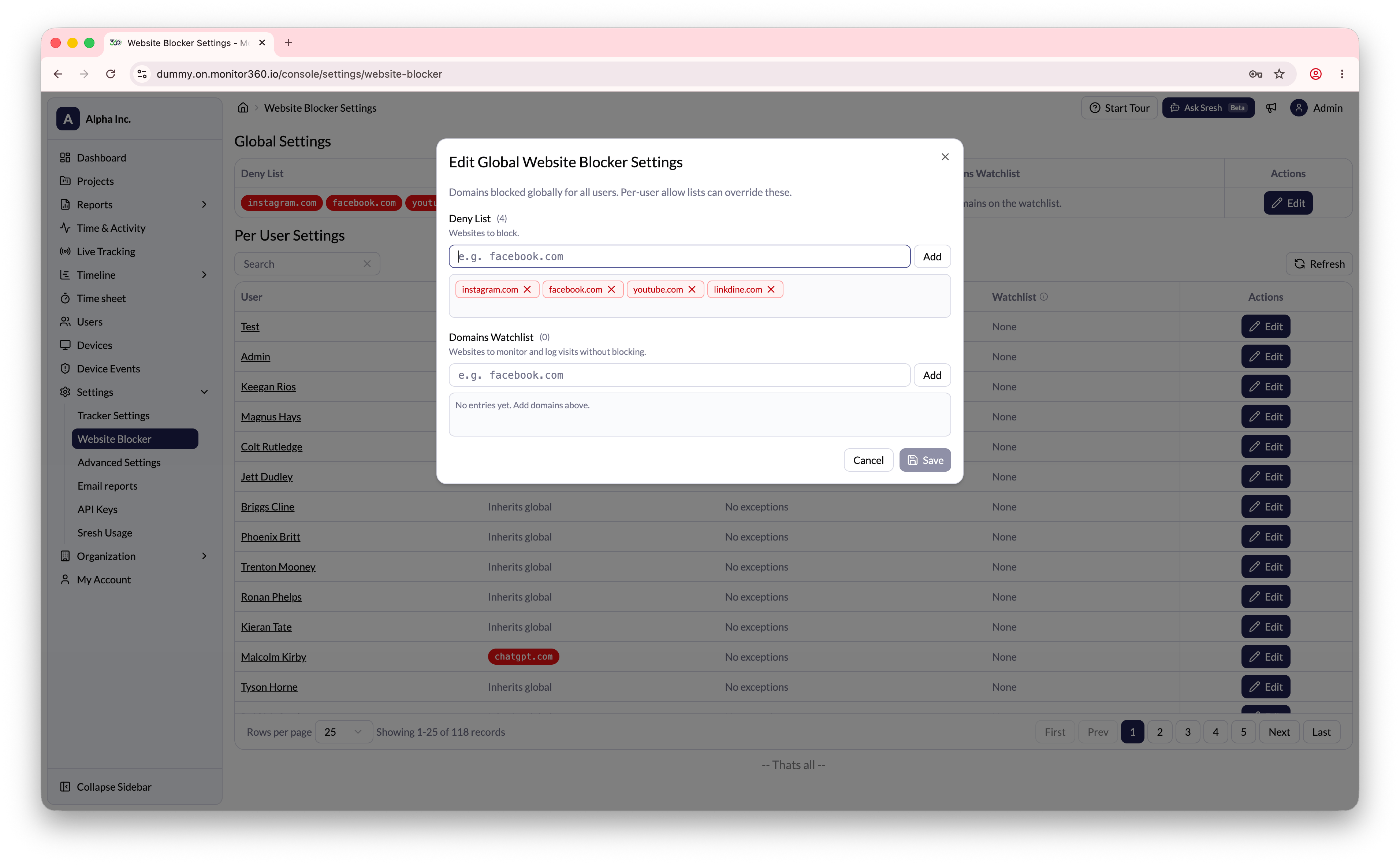
The Website Blocker setting allows the admin to block specific websites for all employees. Once blocked, employees will not be able to access that website during working hours.How to Add a Blocked Website
- Go to Settings → Website Blocker
- In the Global Settings section, click Edit
- Enter the website or domain to be blocked (e.g.,
facebook.com) - Click Add
- Click Save to apply
Per-User Exceptions
The admin can also modify the website blocker settings for individual users if required - for example, to allow a specific user to access a domain that is blocked globally.- In the Per User Settings section, find the user
- Click Edit next to their name
- Add or remove domain exceptions as needed
- Click Save