Overview
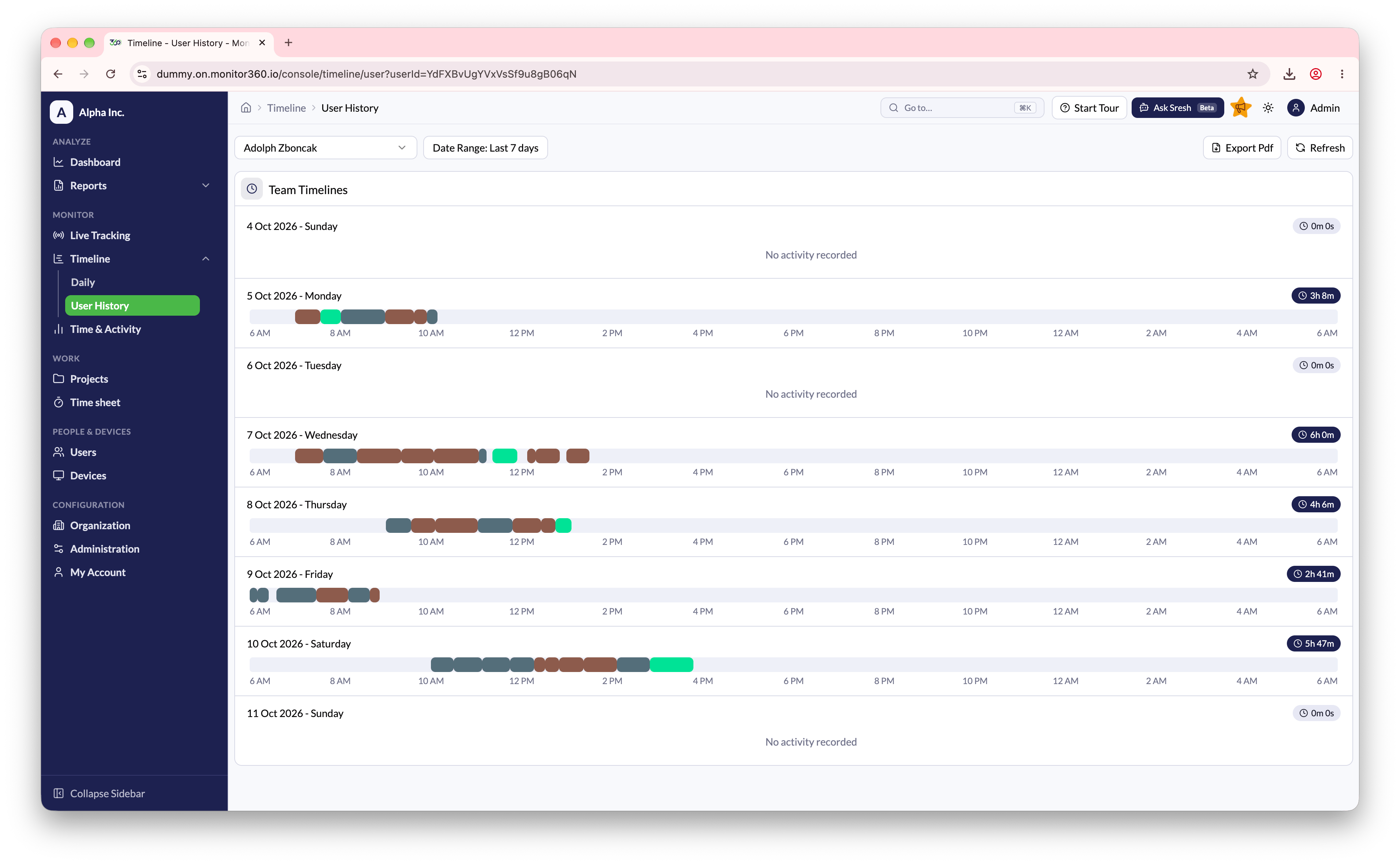
From Timeline → User History, you can view user-wise time sheet details in a timeline format.How to Use
- Select a user from the dropdown
- Customise the date range to view data for specific days or weeks (defaults to the last 7 days)
- Each day shows a visual timeline of the user’s work sessions, colour-coded by project. Hover over a segment to see the project and task
- Total worked time is displayed for each date
- Click Refresh to load updated records
Purpose
This view helps track individual employee work patterns and analyse productivity over a selected period.