

Overview
The Projects section allows you to create and manage projects in Monitor360. Projects serve as organizational units for tracking work and time allocation. Go to Work → Projects.Add a project
- Click + Add
- Enter a Title (for example, AlphaCart Portal) and optional Tags
- Click Add to create the project
Projects list
- Search projects by name or filter by Project Tags and status (Active or Archived)
- Click a project name to open its details
- Use the Actions (⋮) menu to Edit, Archive, Unarchive, or Delete a project. Archived projects keep their logged data and can be restored later
Project details
A project has three tabs.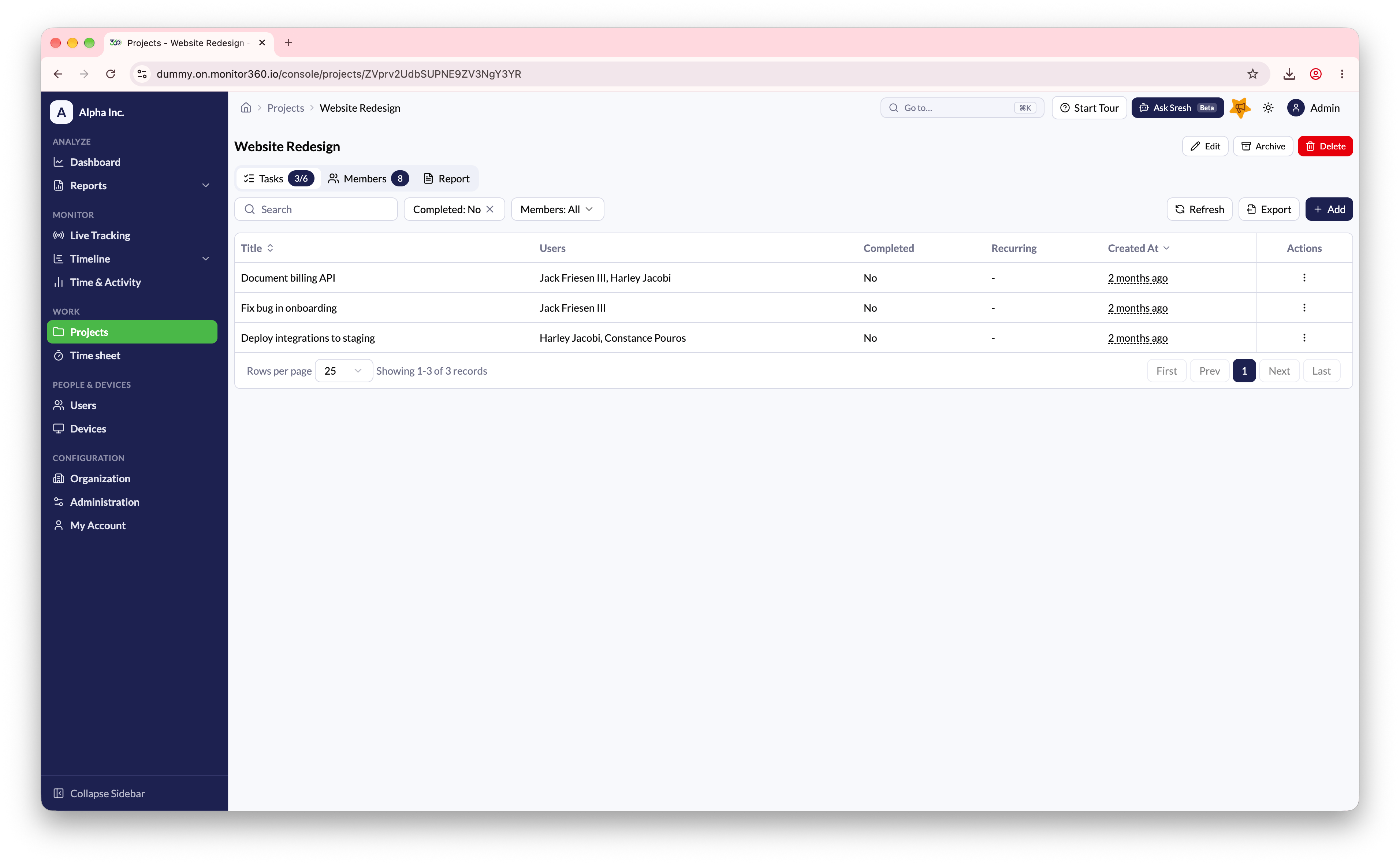
Tasks
- Lists every task with its title, assigned users, and completion status
- Search by title, or filter by status (Completed or not)
- Click Add Task to create a task, assign users, and optionally make it Recurring
- Edit, complete, or delete a task from its actions menu
Members
- Shows everyone assigned to the project
- Click Add Members to add users. Remove a member from their card
Report
- A summary of total time spent and completed vs. pending tasks
- Time and activity broken down by member and by task, which is useful for performance and billing reviews
Projects from integrations
Projects imported from Integrations have extra options:- Fetch tasks - pull the latest tasks from the connected system now
- Enable Auto Sync (in Edit Project) - fetch tasks automatically on a schedule