

Overview
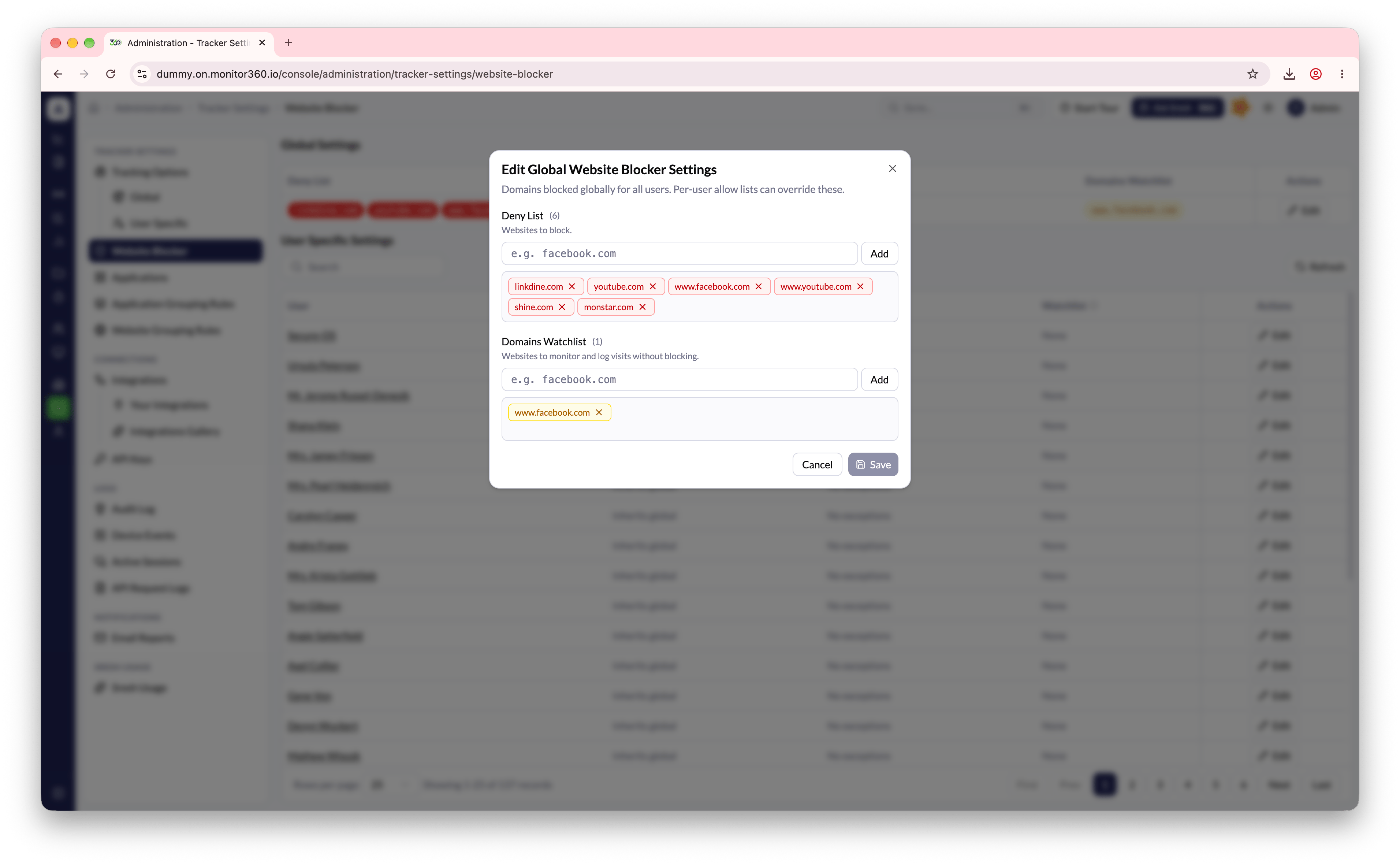
The Website Blocker lets admins stop websites from loading on tracked devices. It uses three lists:
Every user inherits the global lists unless they have a per-user override.
How to access
Go to Administration → Tracker Settings → Website Blocker.Block a website for everyone
- In the Global Settings section, click Edit
- Under the deny list, enter the domain to block (for example,
facebook.com) - Click Add
- Click Save to apply
Per-user settings
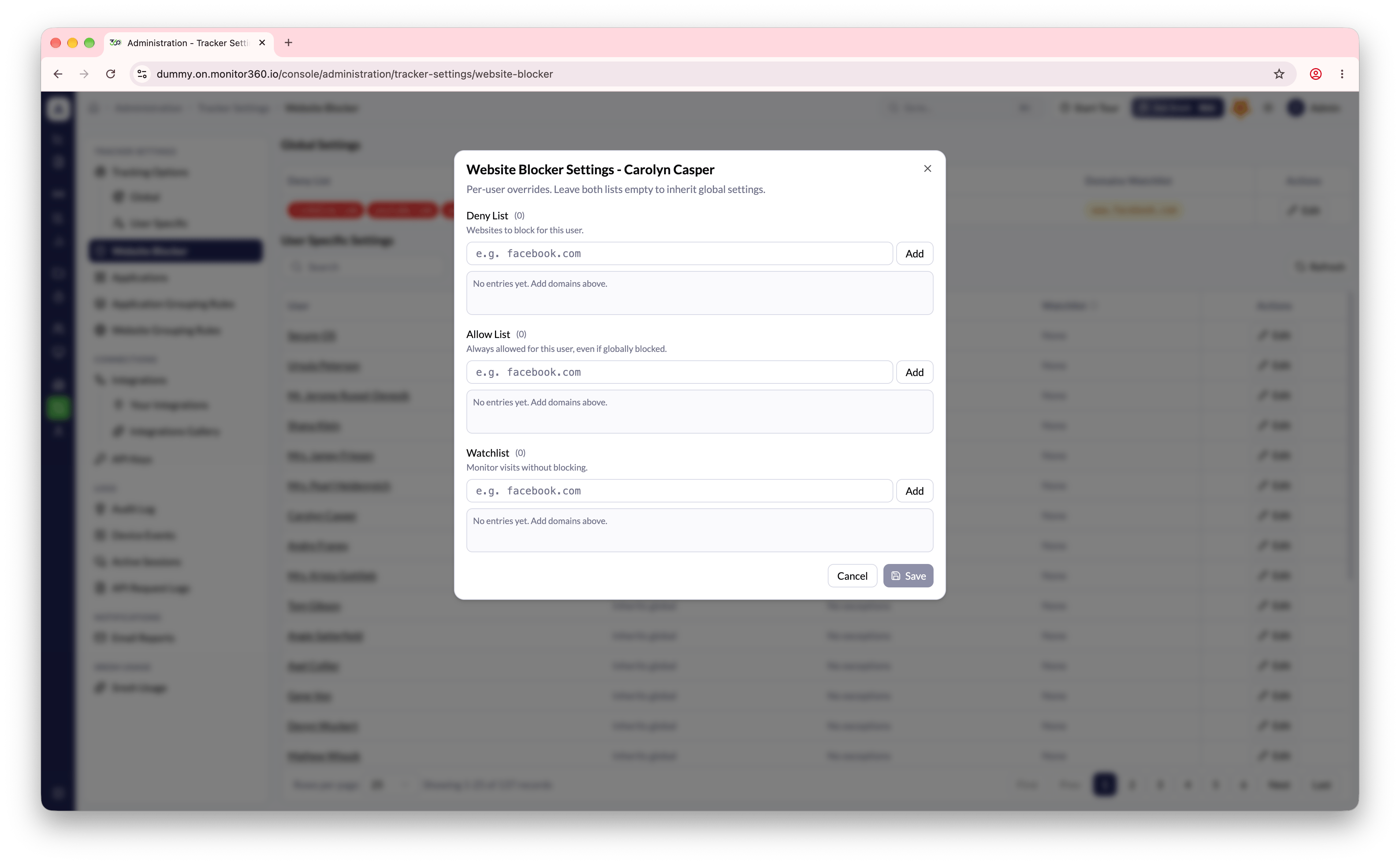
Per-user lists add to the global lists. Users without overrides show Inherits global.- In the Per User Settings section, find the user (use Search to filter by name)
- Click Edit next to their name
- Add domains to their Deny List to block extra sites for this user, or to their Allow List to make exceptions to the global deny list
- Click Save
Blocked visits appear in Device Events as Domain Blocked.