Overview

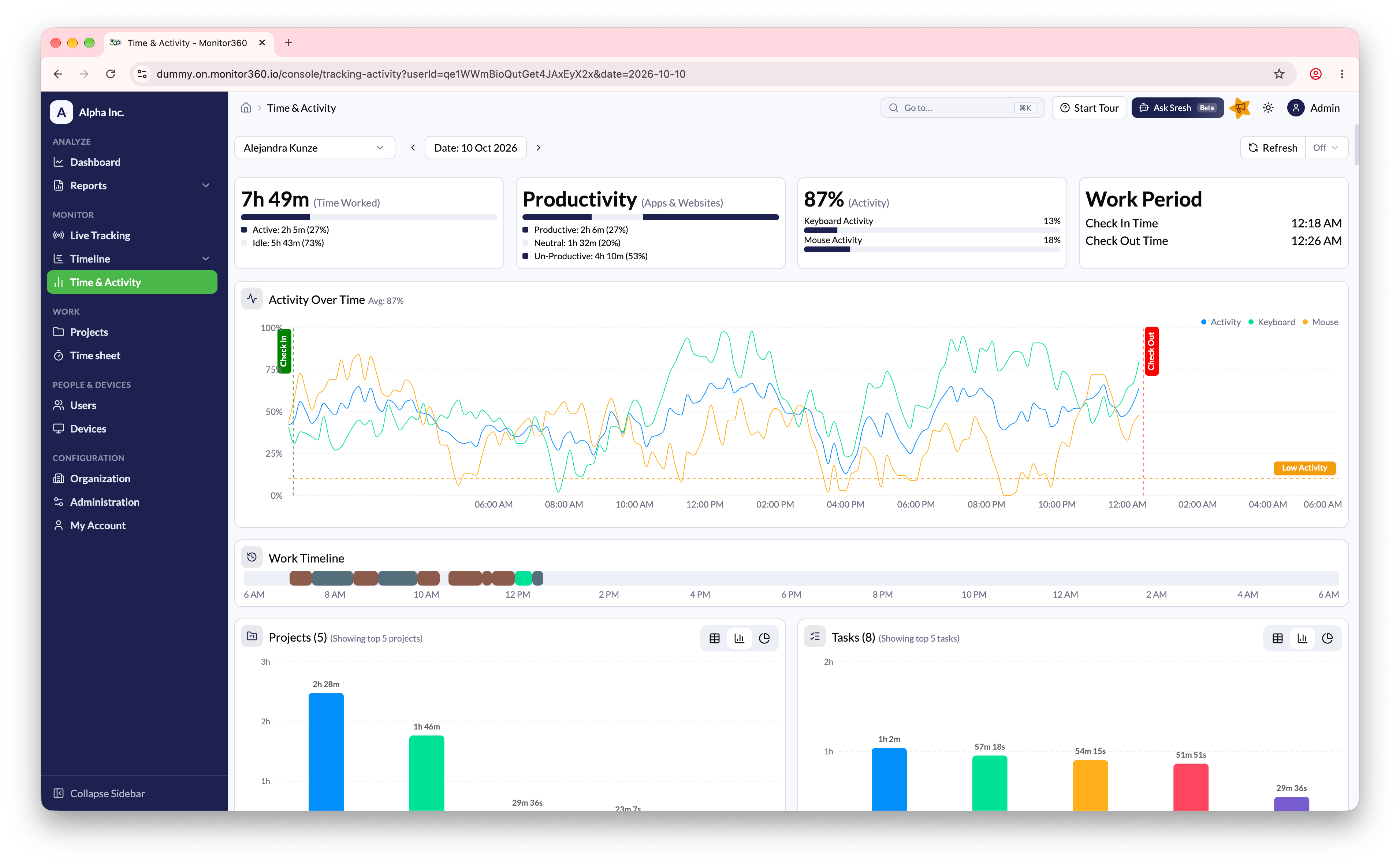
The Time & Activity page provides a detailed daily overview of a selected employee’s work activity.

How to Use

  • Select a date and user from the top bar
  • Data auto-refreshes every 5 minutes (manual refresh available)

Key Sections

SectionDescription
Time LoggedShows Total Time, Active Time, and Idle Time for the selected day
Activity GraphDisplays activity percentage throughout the day. The dotted line represents the minimum activity threshold
Work TimelineVisual representation of work sessions across the day
Top ProjectsLists projects where the user spent the most time
Top TasksShows tasks with the highest time contribution
Top AppsDisplays applications used by the employee with total time spent on each app
Top Browser TabsLists the most-used browser tabs or websites, helping identify work-related vs non-work-related browsing
ScreenshotsAutomatically captured at set intervals, grouped by time slots. Admins can review or delete screenshots if needed

Purpose

This view helps managers and admins analyse daily productivity, focus areas, and work patterns for individual employees.

Video Walkthrough