

Overview
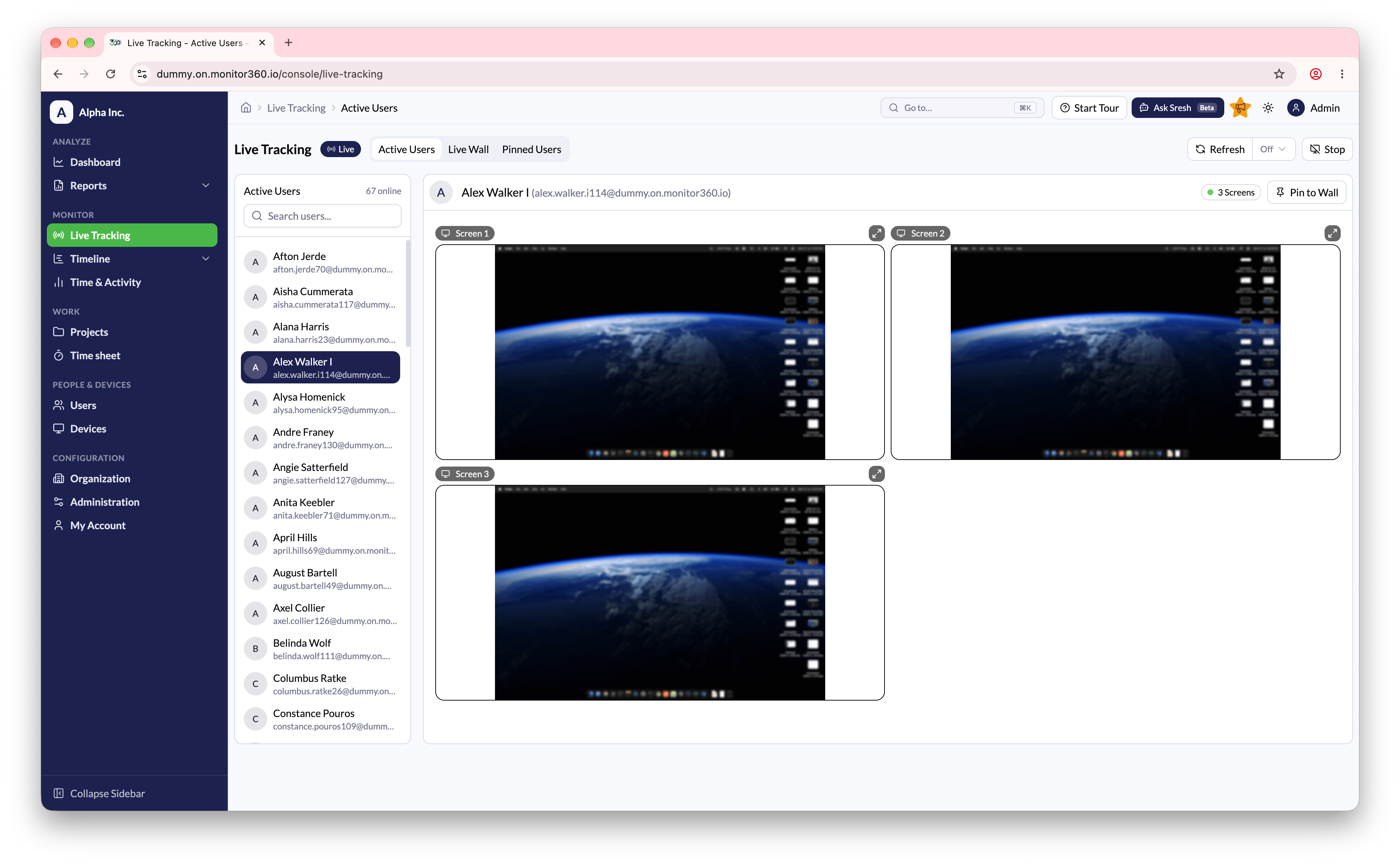
The Live Tracking feature shows real-time activity of employees who are currently working on the system. It has three tabs: Active Users, Live Wall, and Pinned Users.Active Users
- Navigate to Monitor → Live Tracking → Active Users
- The list shows active users currently online. Use Search to find a user by name or email
- Click a user to start viewing their screen live. If they have more than one monitor, each screen is shown side by side
- Use Stop Streaming to end the live session
- Turn on Auto Refresh so newly active users appear without a manual reload
Live Tracking is not available to the IT Team role.
Live Wall PRO
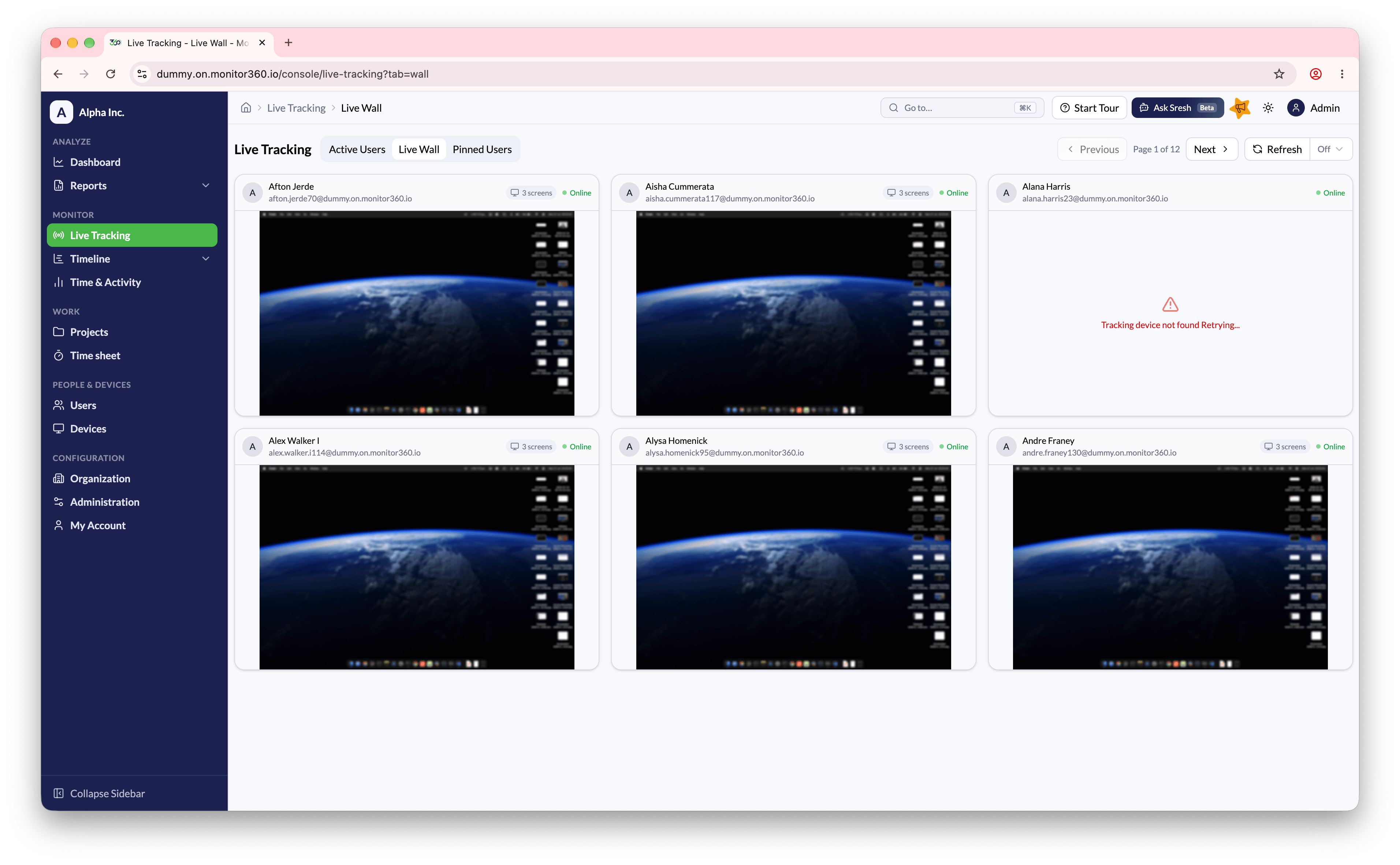
The Live Wall tab is available on the Pro plan and automatically shows a grid of live streams for currently active users, so you can monitor several screens side by side instead of viewing one user at a time.- Navigate to Live Tracking → Live Wall
- Each tile shows the user’s name, email, and online/offline status. Users with several monitors show a screen count badge (for example, 3 screens)
- Use the Refresh dropdown to control how often the wall automatically refreshes, or turn it Off
- Expand a tile using its expand icon to view a single user’s stream in a larger view
- If a stream can’t connect, the tile shows Error connecting to live stream. Retrying… and keeps attempting to reconnect automatically
Pinned Users PRO
The Pinned Users tab is available on the Pro plan and shows the users you’ve pinned for quick access.- Navigate to Live Tracking → Pinned Users
- The header shows how many users are pinned out of the maximum allowed (e.g., 2/6 pinned)
- Use Add User to Wall to pin additional users, up to 6
- Each tile shows the user’s name, email, and online/offline status
- Pinned tiles stay on the wall when the user goes offline, and go live again when they reconnect