Overview
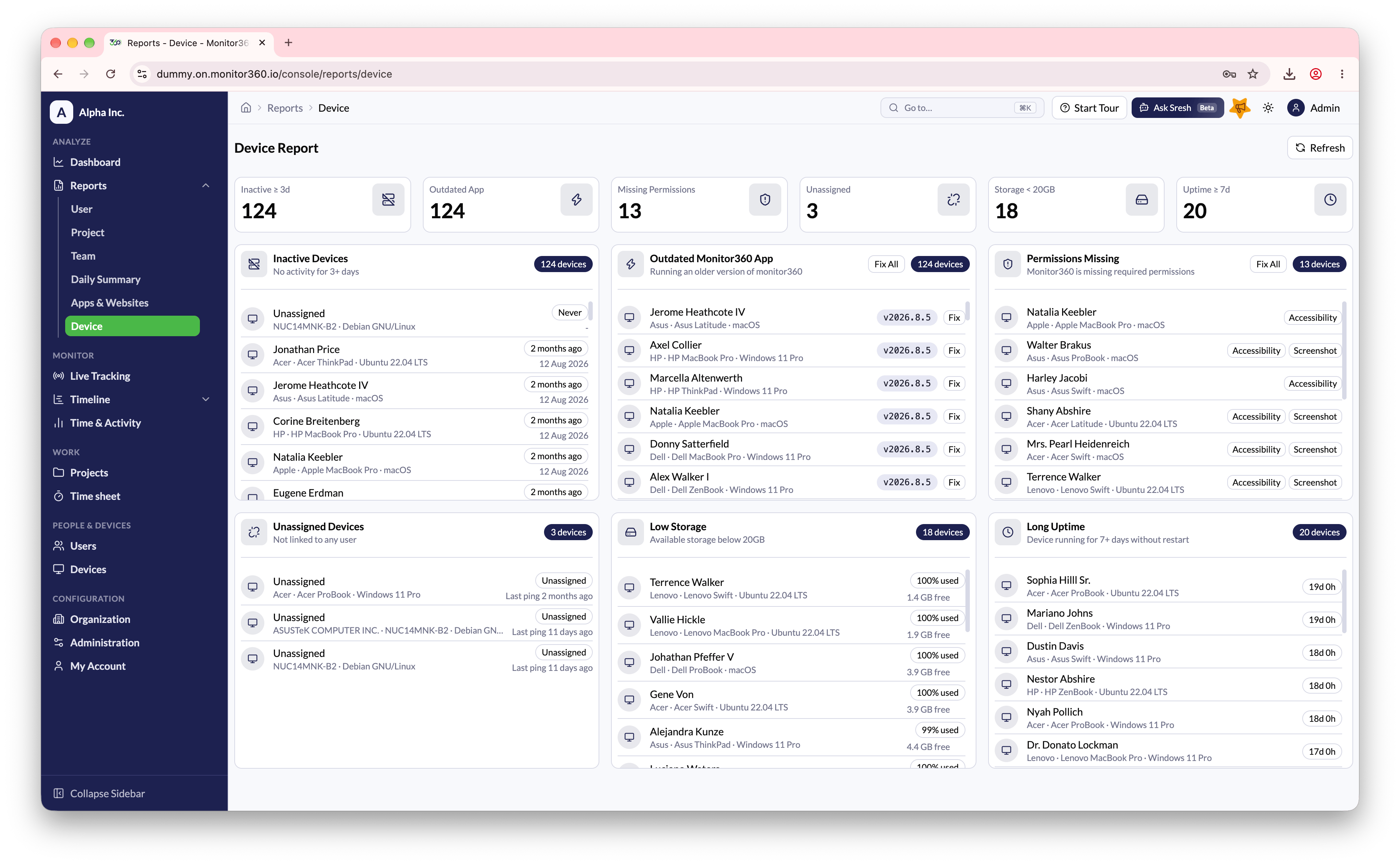
The Device Report allows the admin and IT team to view device health status and identify devices that require attention.This report is visible only to Admin and IT Team users.
How to Access
Go to Reports → Device.Device Status Categories
Resolving Issues
- Use the Fix button next to a specific device to resolve the issue
- Use Fix All to apply the fix to all affected devices in a category where available