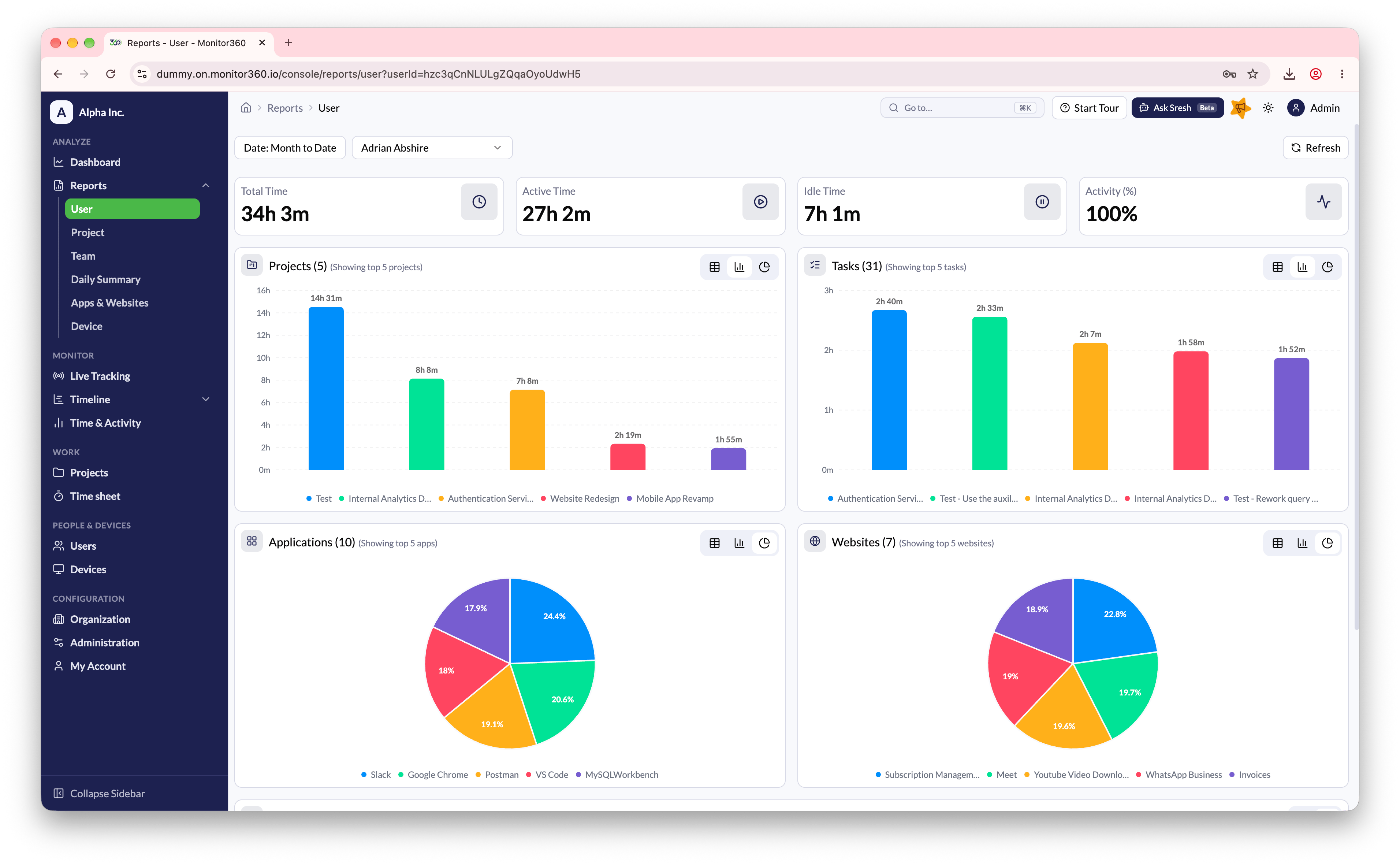
Overview
The User Report gives a complete, date-wise summary of an individual employee’s work activity, including daily hours logged, productivity, and usage breakdowns.Daily Hours Logged
- Each day’s total logged hours are recorded automatically
- Data is derived from:
- App usage
- Browser activity
- Keyboard & mouse interaction
- Enables managers to:
- Verify attendance
- Track daily consistency
- Identify under- or overworking days
Projects Breakdown
- Shows time spent per project for the selected day(s)
- Helps identify where daily hours were allocated
- Hover or drill down to view exact durations
Tasks Breakdown
- Displays task-level time tracking
- Useful for performance evaluation and workload balancing
- Directly mapped to projects
Applications Used
- Lists the top applications with time spent
- Helps distinguish productive tools vs support tools
- Useful for compliance and efficiency tracking
Websites Visited
- Pie chart showing website usage distribution
- Indicates browsing behaviour during logged hours
- Helps detect distractions or non-work activity