

Overview
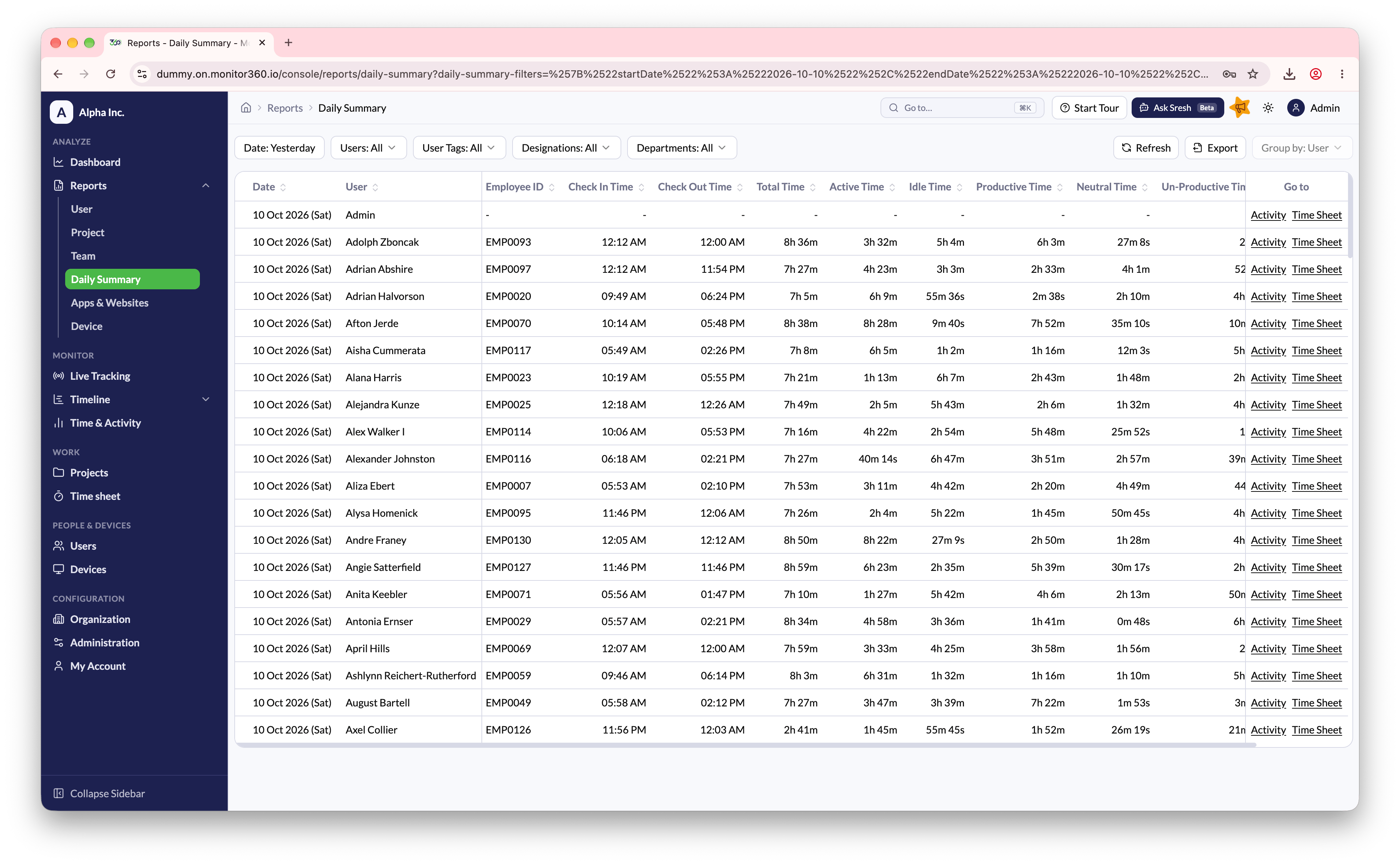
The Daily Summary report provides a row-by-row, user-level breakdown of each working day, combining attendance, time tracking, and productivity metrics in a single view.What This Report Shows
Each row represents one user for one day, making it ideal for HR, payroll, and managerial reviews.Key Columns Explained
Filters and actions
- Date Range - defaults to today
- Filters - narrow by users, user tags, designations, or departments
- Group By - when results cover several users and dates, group rows by User or by Date. Click a group row to expand or collapse it
- Sort - click any column header
- Export - download the full report to a file
- Go To - open the Time & Activity page or Time Sheet for that user and date in a new tab
This report is ideal for HR and payroll teams to verify attendance, calculate
work hours, and ensure compliance with company policies.