

Overview
The Devices page lists every computer running the Monitor360 desktop app, and lets you map each one to a user. Go to People & Devices → Devices (available to Admin and IT Team users).Device list
Each row shows the device’s 4-digit ID, assigned user, hardware details, app version, uptime, storage, and last activity.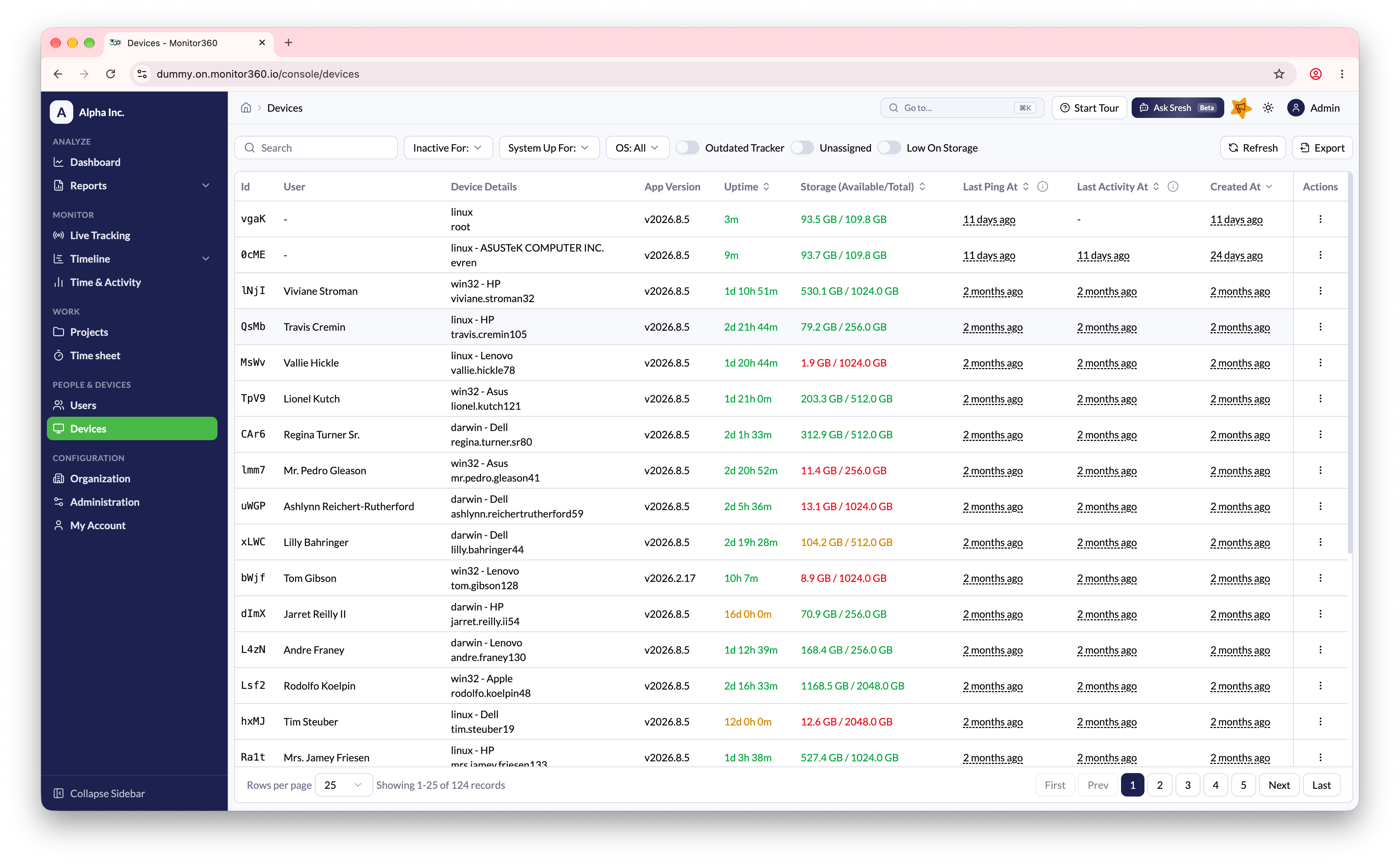
Filters
Filter devices by search, Inactive For (1 to 7+ days), System Up For, OS, Outdated Tracker, Unassigned, or Low On Storage.Device actions
- Assign - link the device to a user. See Assign Device to User
- Un-assign - remove the user from the device, for example to give it to someone else
- View Details - open the device’s details and remote actions. See Edit User
- Delete - remove a device that is no longer needed