

Access users
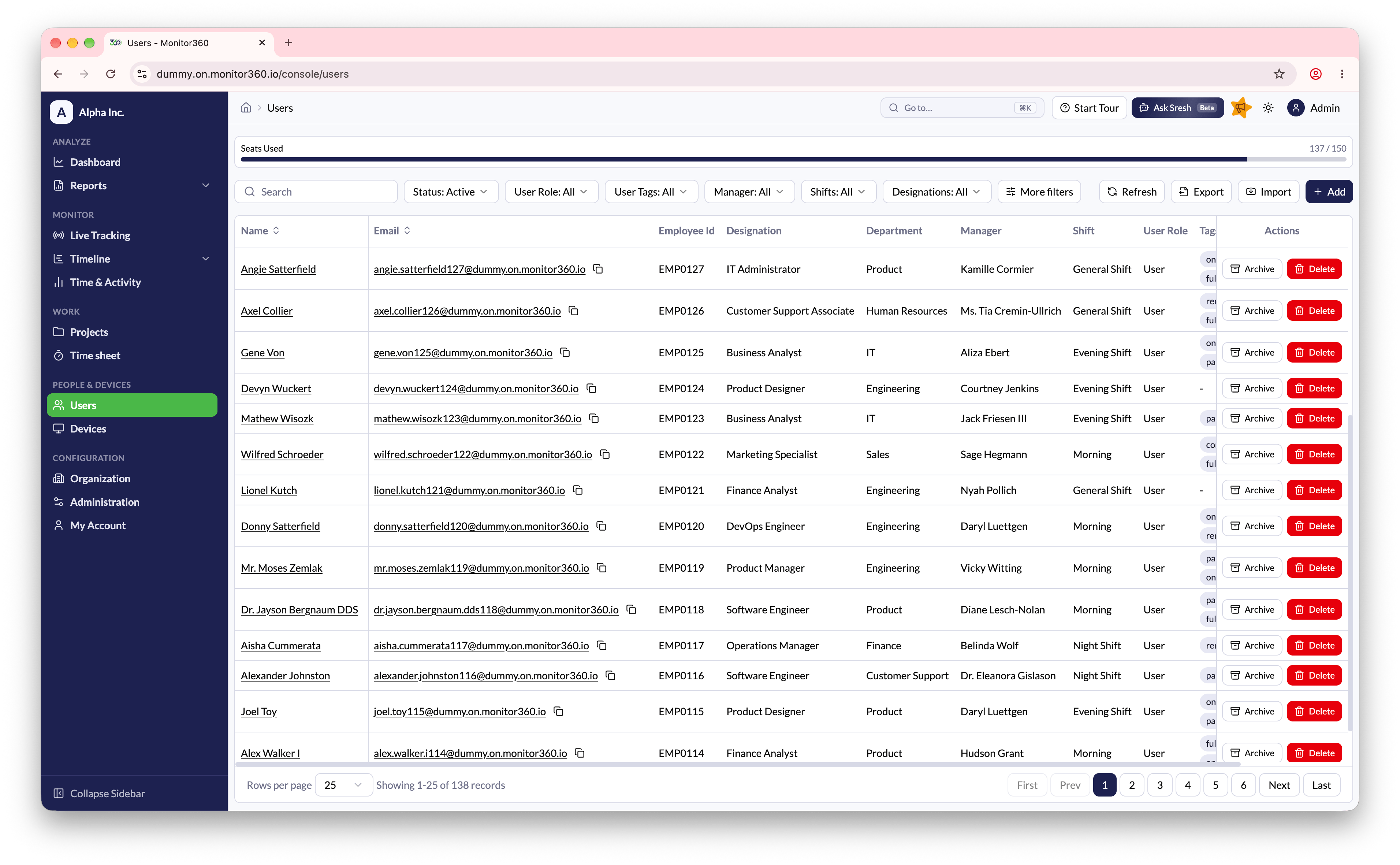
- Go to People & Devices → Users in the sidebar (available to Admin and IT Team users)
- The header shows Seats Used out of the total available on your plan
User operations
Add users- Click + Add to create a user manually. See Add User
- Click Import to upload users in bulk from a CSV file. Download the sample file from the import dialog to see the expected format. The dialog lists any failed records
- You can also import users from Integrations
- Click Export to download the current user list for reporting or backup
- Search by name or email
- Filter by role, tags, manager, shift, designation, department, or archived status
- Click any column header to sort
- Click a user’s name or email to open their profile. See Edit User
- Use the actions menu to Archive, Unarchive, or Delete a user. See Archive or delete a user
- Use pagination and Rows per page to navigate large lists