

Overview

The Dashboard provides a high-level, real-time snapshot of organisation-wide productivity and activity. It helps admins and managers quickly understand where time is spent, who is active, and what tools are being used most.
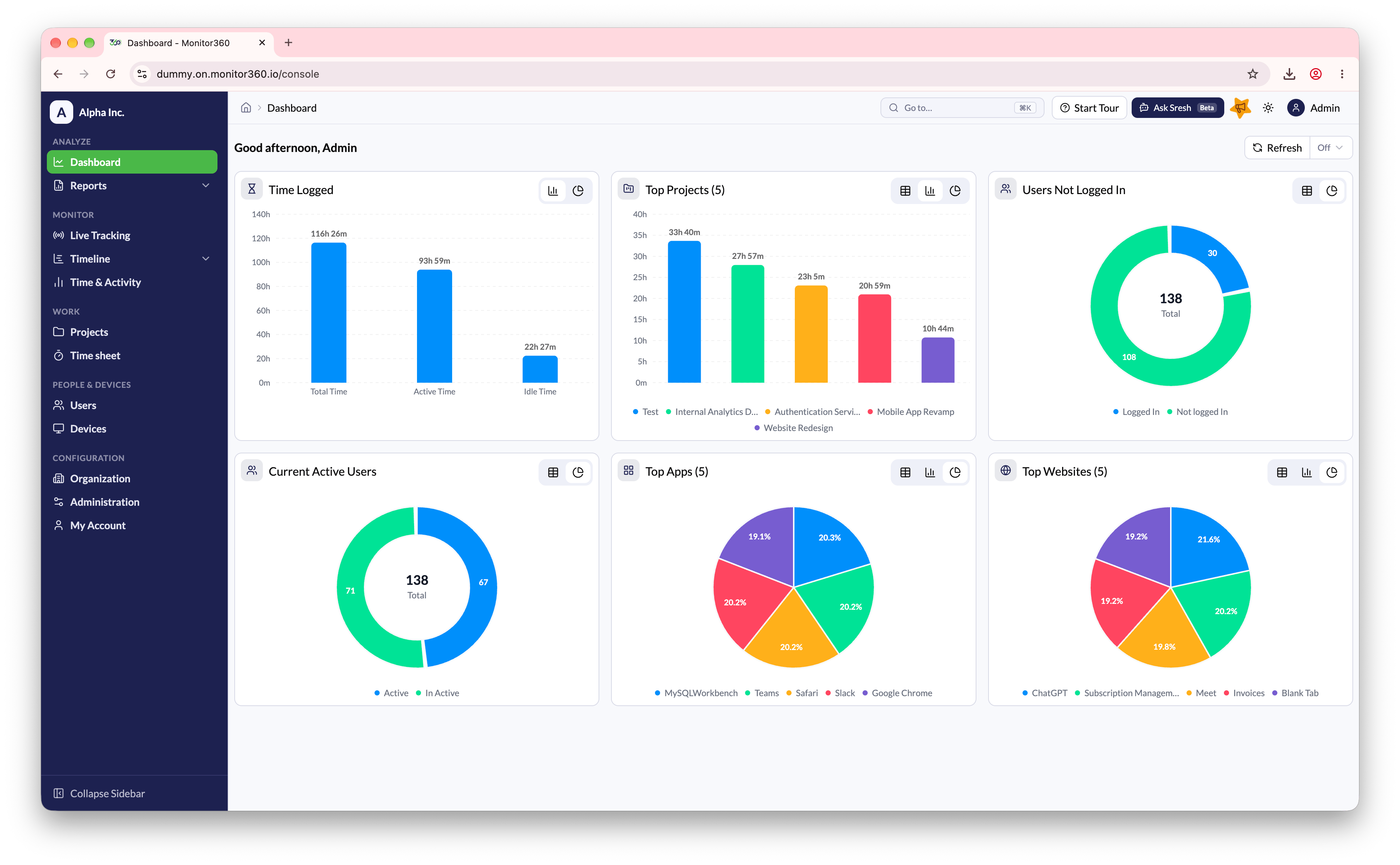
Dashboard Components

ComponentDescription
Time LoggedDisplays Total Time, Active Time, and Idle Time. Helps evaluate overall productivity vs inactivity. Auto-refreshes every 5 minutes
Top ProjectsShows the top 5 projects by time spent. Percentage-based visual for quick comparison. Helps identify high-effort or priority projects
Users Not Logged InDisplays how many users are logged in vs not logged in. Useful for attendance and workforce availability tracking
Current Active UsersShows currently active vs inactive users. Real-time visibility into who is working right now
Top AppsLists the most-used applications with total usage time per app. Helps distinguish between work tools and distractions
Top WebsitesShows the most visited websites. Useful for productivity analysis and compliance monitoring

Key Dashboard Features

  • Auto refresh every 5 minutes
  • Multiple chart views (bar, pie, list)
  • Focused on quick insights, not deep analysis
  • Acts as the starting point for deeper reports

When to Use the Dashboard

  • Daily productivity check
  • Management stand-ups
  • Workforce monitoring
  • Identifying trends before drilling into reports

Video Walkthrough

Use the Dashboard as your starting point, then drill down into detailed reports for deeper analysis.