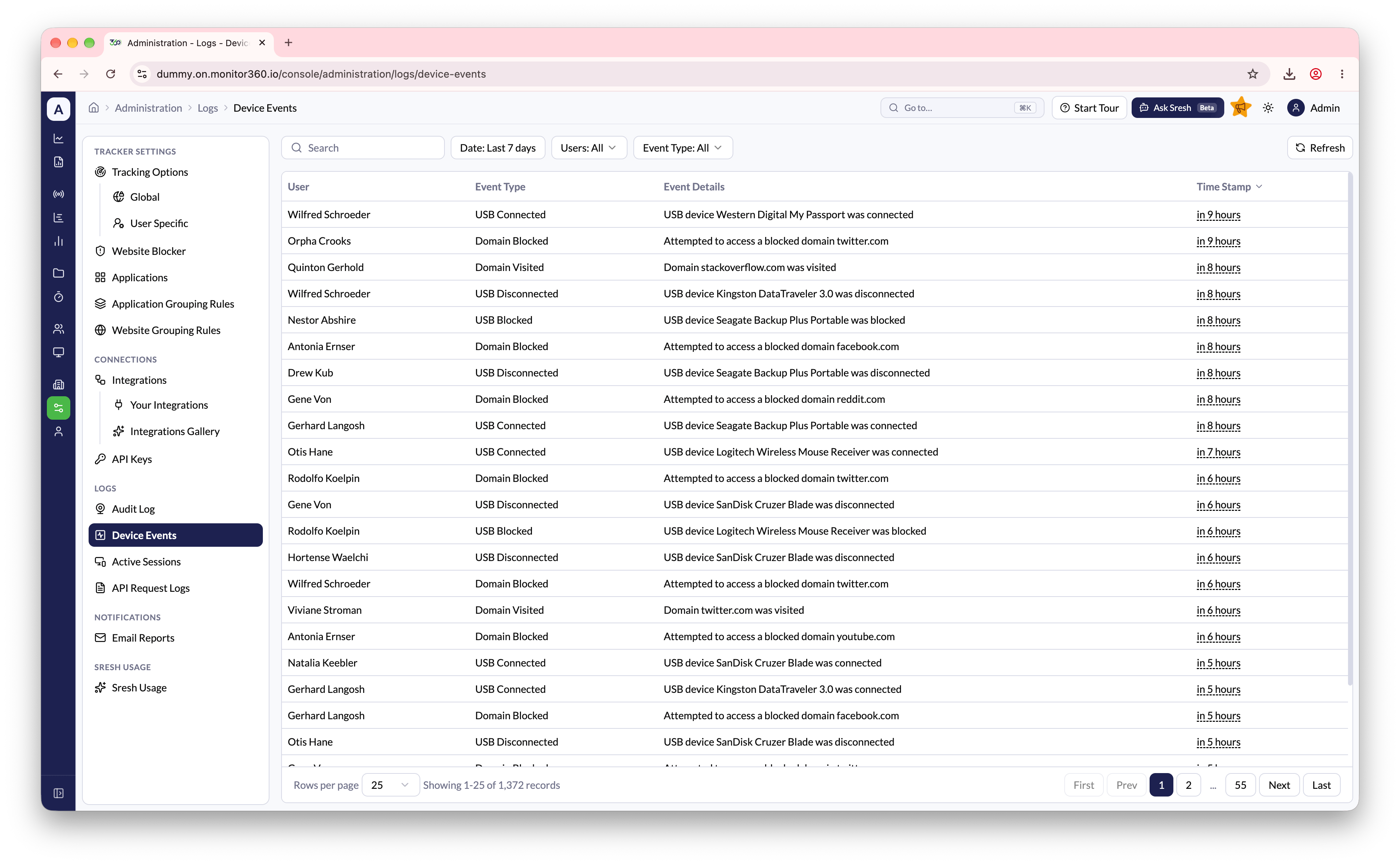
Overview
The Device Events section lists security and health events reported by the desktop app on each tracked device: USB activity, blocked and watched websites, permission changes, clock problems, and tampering.How to Access
Go to Administration → Logs → Device Events. This page is available to Admin and IT Team users.Filtering Records
Use the filters at the top to narrow down results:- Search - Search event details
- Date - Filter events by date range
- User - Filter by a specific user
- Event Type - Filter by the type of event
Event Types
USB
Requires USB Detection.
USB devices are identified by manufacturer, product name, and category, such as Storage Device, Audio Device, Video Device, Input Device, Network Adapter, Bluetooth Adapter, Printer, Smart Card, Serial Port, or Mobile Phone.
Websites
Permissions
Monitored items are Accessibility Permission, Screen Capture Permission, Daemon Status (running or stopped), and Daemon Version. A permission being turned off often means tracking or screenshots will stop. See Troubleshooting.
Automation Permission Not Granted lists the apps Monitor360 isn’t allowed to control, such as System Events or a browser. Until it’s allowed, activity details for those apps may be incomplete. To fix it, on the device open System Settings → Privacy & Security → Automation and turn on the listed apps under Monitor360.
Device clock
A wrong clock can put activity on the wrong day. Ask the user to set their computer’s date and time automatically.
Tampering
These events mean someone changed or deleted Monitor360’s local files on the device.Other
Displayed Information
Each event record shows:- User - The employee associated with the event
- Event Type - The category of event
- Event Details - Specific details about the event (e.g., device name or domain)
- Time Stamp - When the event occurred