

Overview
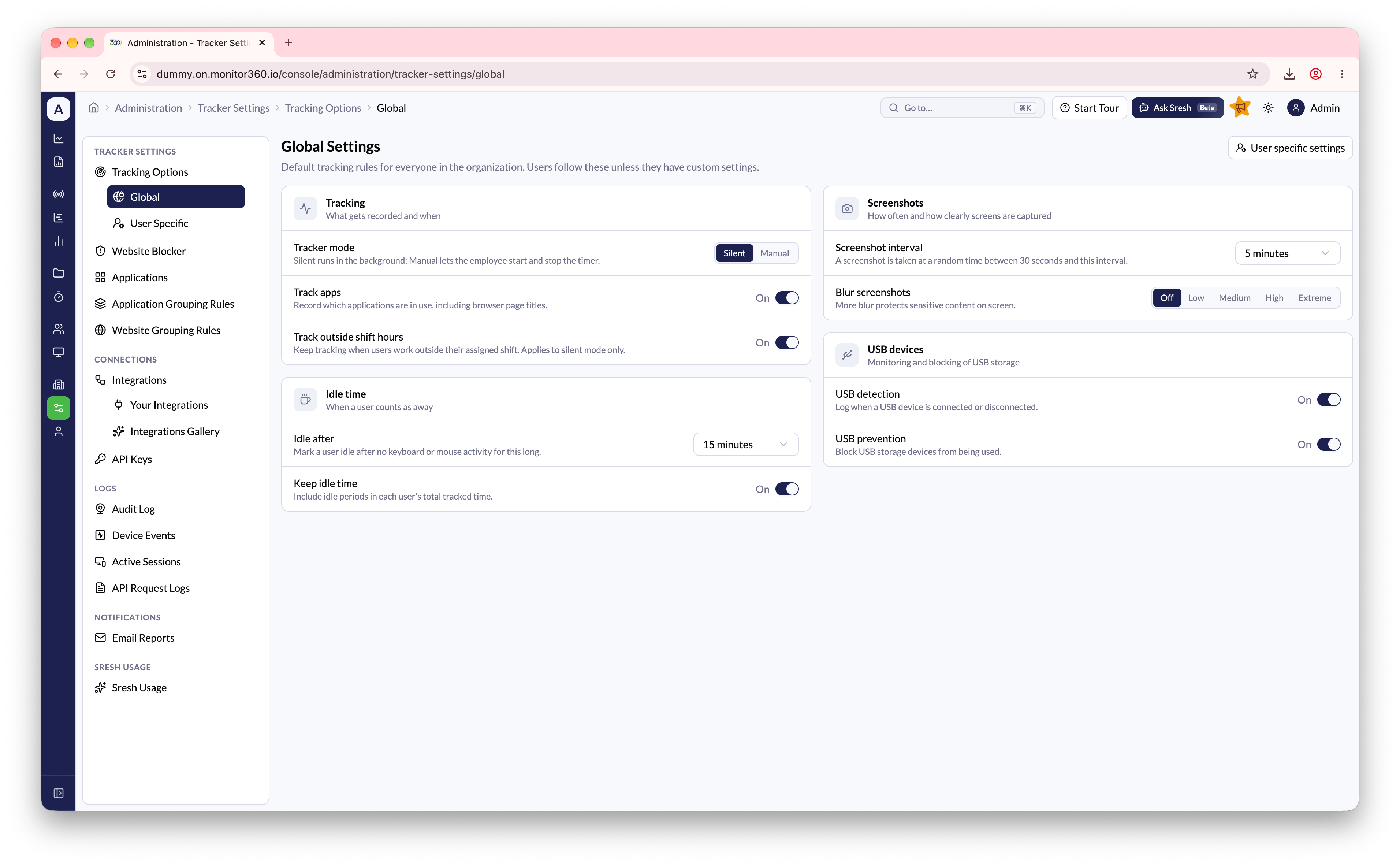
Tracker settings control how the Monitor360 desktop app tracks each user. There are two levels:- Global - the default rules for everyone in the organization
- User Specific - overrides for individual users. Any setting left on Use Global follows the global value
Global settings
The Global page groups settings into four sections:
Change any value, then click Save changes in the bar at the bottom of the page. Click Discard to undo unsaved changes.
User Specific settings
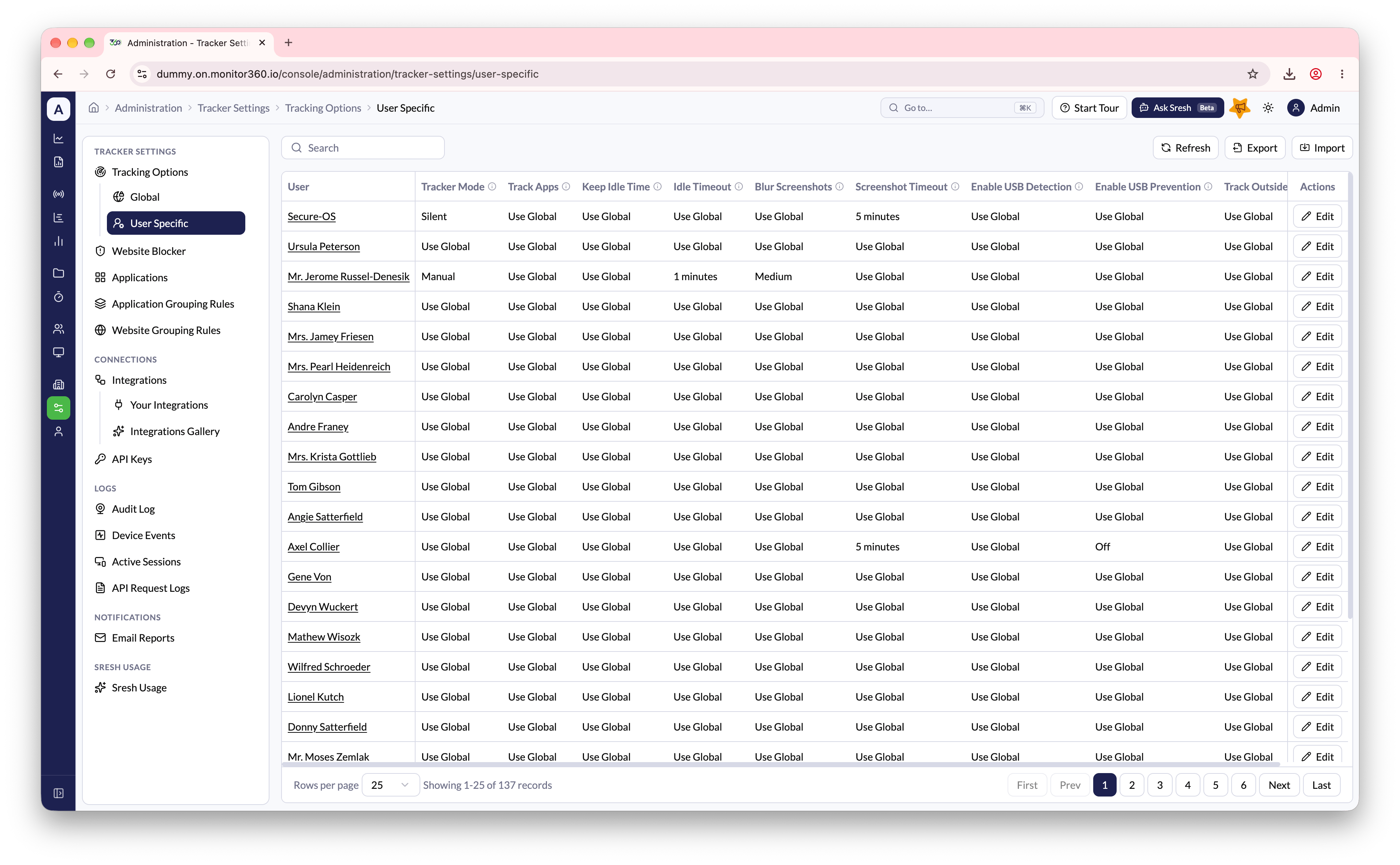
The User Specific page lists each user’s overrides. See Update User Tracker Settings.- Search the table by user name
- Import a CSV file to set overrides for many users at once
Updated settings reach a device the next time it syncs. To apply them right away, open the user’s Tracker Settings tab and click Push Settings. See Edit User.