> ## Documentation Index
> Fetch the complete documentation index at: https://docs.monitor360.io/llms.txt
> Use this file to discover all available pages before exploring further.
# Domain Watch List
> Monitor specific domains visited by employees without blocking them
## Overview
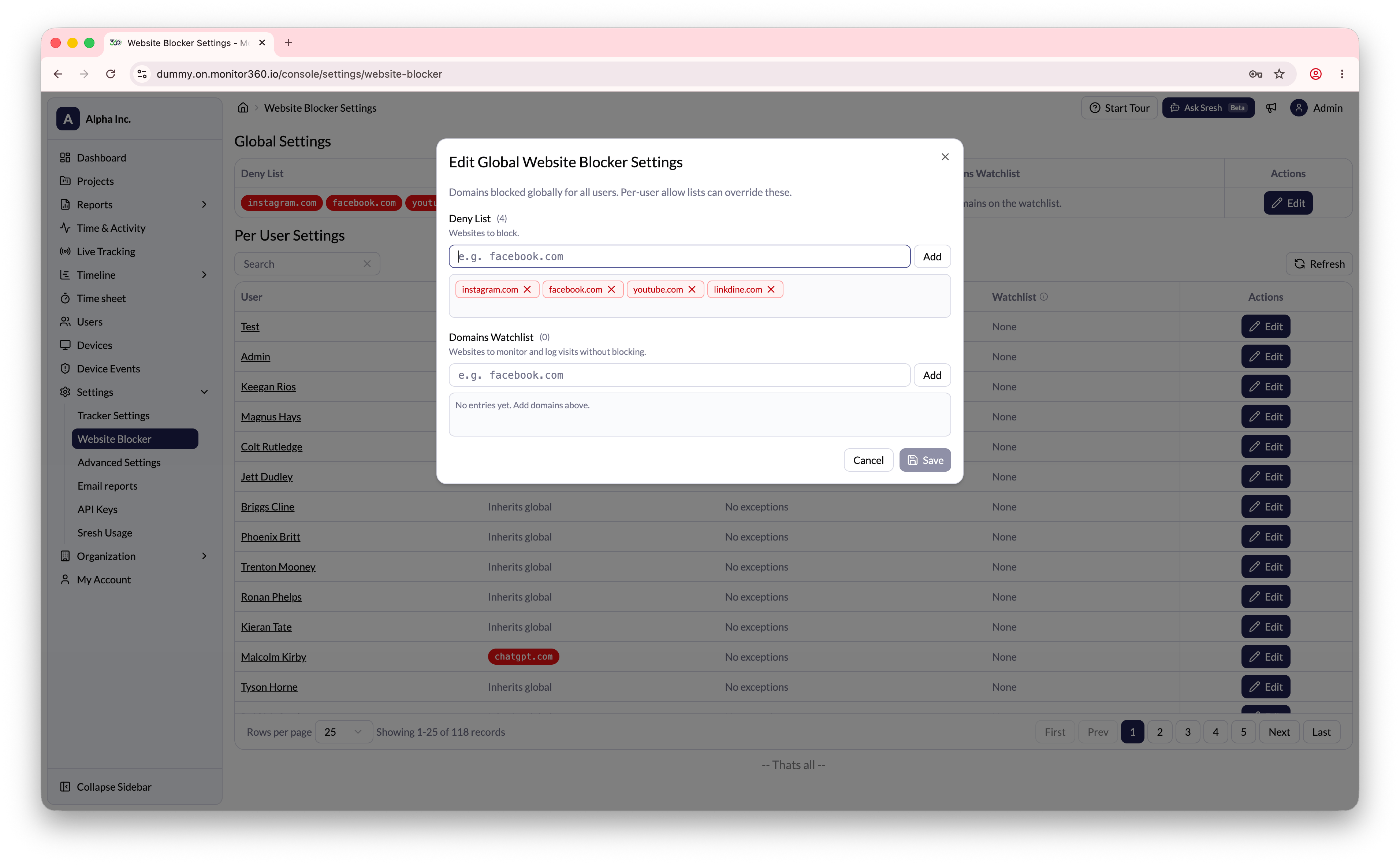
The **Domain Watch List** setting allows the admin to track specific domains visited by employees without blocking access. The system records activity whenever a user visits a watched domain.
## How to Add a Domain to the Watch List
1. Go to **Settings → Website Blocker**
2. In the **Global Settings** section, click **Edit**
3. Under **Domains Watchlist**, enter the domain to monitor (e.g., `facebook.com`)
4. Click **Add**
5. Click **Save** to apply
 ## Per-User Watch List
The admin can also configure the domain watch list for individual users:
1. In the **Per User Settings** section, find the user
2. Click **Edit** next to their name
3. Add domains to monitor for that specific user
4. Click **Save**
Domain watch list events appear in the **Device Events** section under the
**Domain Visited** event type.
## Per-User Watch List
The admin can also configure the domain watch list for individual users:
1. In the **Per User Settings** section, find the user
2. Click **Edit** next to their name
3. Add domains to monitor for that specific user
4. Click **Save**
Domain watch list events appear in the **Device Events** section under the
**Domain Visited** event type.