> ## Documentation Index
> Fetch the complete documentation index at: https://docs.monitor360.io/llms.txt
> Use this file to discover all available pages before exploring further.
# Track Outside Shift Hours
> Control whether activity is tracked outside the assigned shift schedule
## Overview
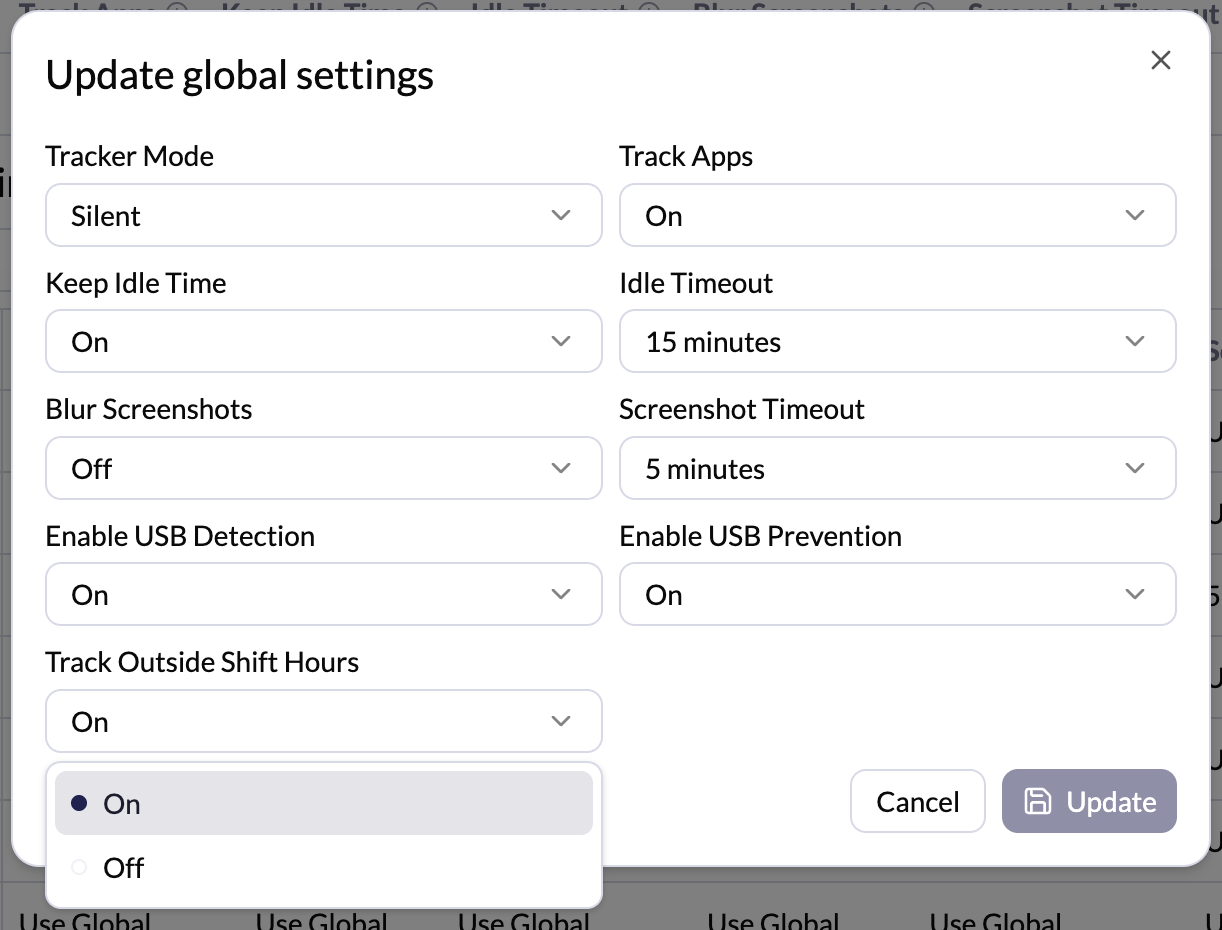
The **Track Outside Shift Hours** setting controls whether the system tracks user activity outside the assigned working hours.
## Options
* **On** - Tracking continues even if the user works before or after the scheduled shift time
* **Off** - Tracking stops outside the assigned shift hours
## How to Configure
1. Go to **Settings → Tracker Settings**
2. Click **Edit** in the Global Settings section (or click **Edit** next to a specific user for per-user settings)
3. Set **Track Outside Shift Hours** to **On** or **Off**
4. Click **Update** to save
 Enable this setting if your team works flexible or extended hours and you need
to capture activity beyond the standard shift window.
Enable this setting if your team works flexible or extended hours and you need
to capture activity beyond the standard shift window.