> ## Documentation Index
> Fetch the complete documentation index at: https://docs.monitor360.io/llms.txt
> Use this file to discover all available pages before exploring further.
# Idle Timeout
> Capture screenshots after inactivity
## About Idle Timeout
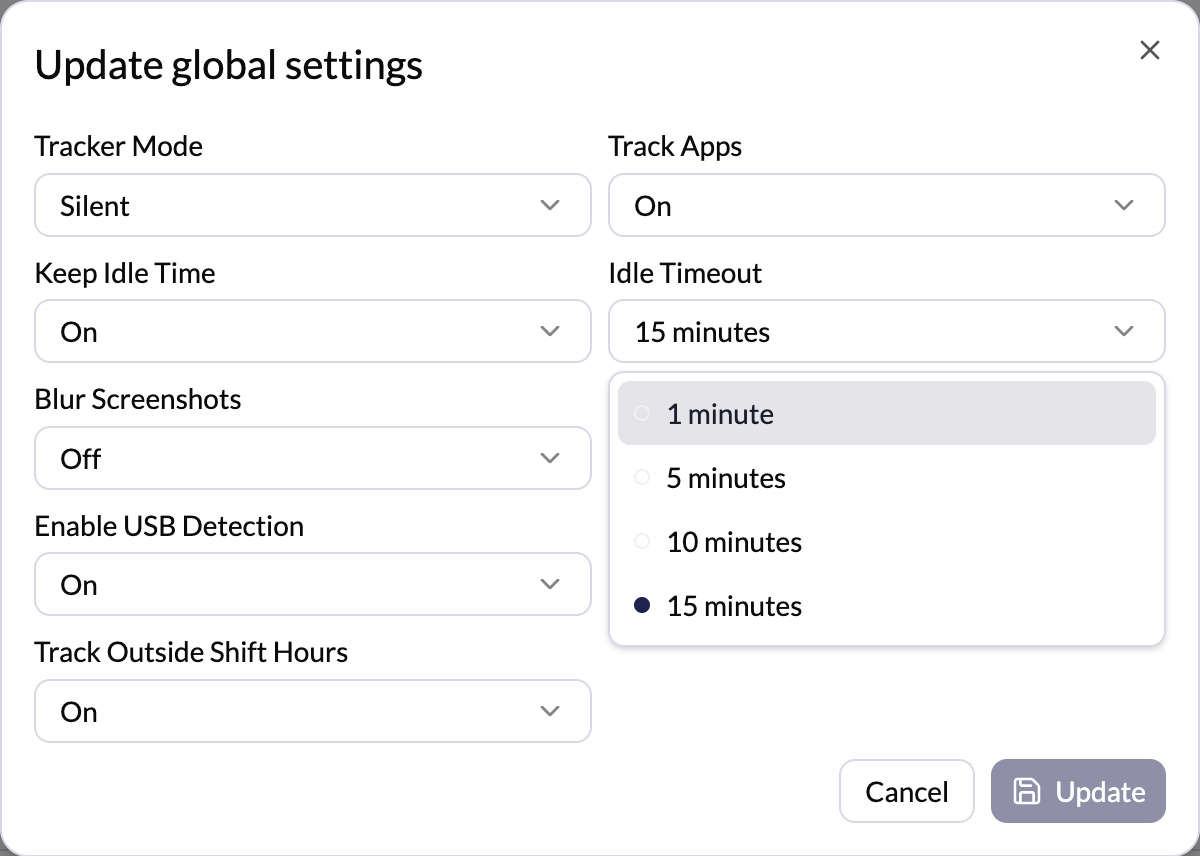
The **Idle Timeout** setting determines how long the system waits before taking a screenshot during inactivity.
## Configuration
* Select a time (e.g., **5 minutes**)
* If there is **no user activity for 5 minutes**, the system will **automatically capture a screenshot**
* Choosing **Use Global** applies the default system-wide setting
## Common Timeout Values
* 1 minute
* 5 minutes
* 10 minutes
* 15 minutes
 This helps track work during periods of inactivity. Activity is detected by
keyboard or mouse movement.
This helps track work during periods of inactivity. Activity is detected by
keyboard or mouse movement.