> ## Documentation Index
> Fetch the complete documentation index at: https://docs.monitor360.io/llms.txt
> Use this file to discover all available pages before exploring further.
# Enable USB Prevention
> Block USB device access on user systems for improved security
## Overview
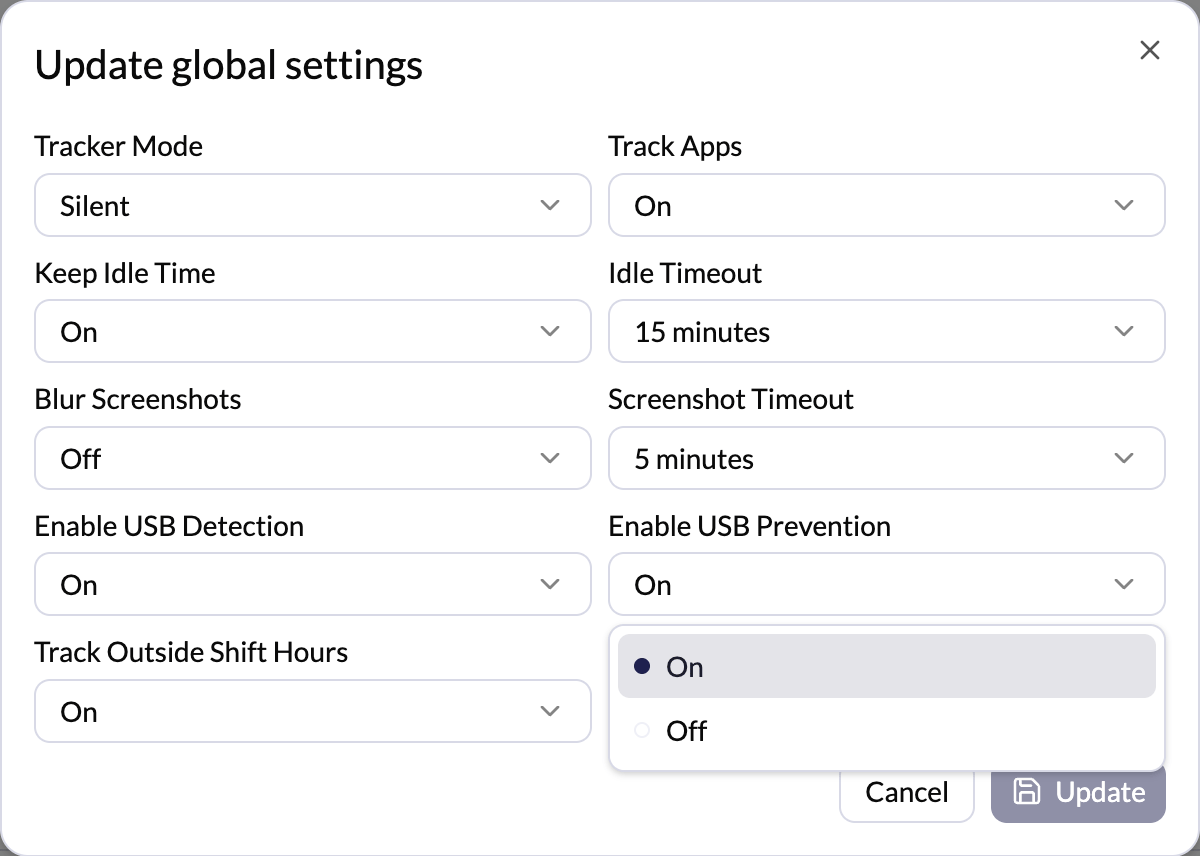
The **Enable USB Prevention** setting controls whether the system prevents users from using USB devices on their system.
## Options
* **On** - USB device access is restricted or blocked
* **Off** - Normal USB device usage is allowed
## How to Configure
1. Go to **Settings → Tracker Settings**
2. Click **Edit** in the Global Settings section (or click **Edit** next to a specific user for per-user settings)
3. Set **Enable USB Prevention** to **On** or **Off**
4. Click **Update** to save
 Enabling USB Prevention will block USB device access for affected users.
Ensure this aligns with your organisation's policy before enabling.
Enabling USB Prevention will block USB device access for affected users.
Ensure this aligns with your organisation's policy before enabling.