> ## Documentation Index
> Fetch the complete documentation index at: https://docs.monitor360.io/llms.txt
> Use this file to discover all available pages before exploring further.
# Apps & Websites Report
> View application and website usage across your team
## Overview
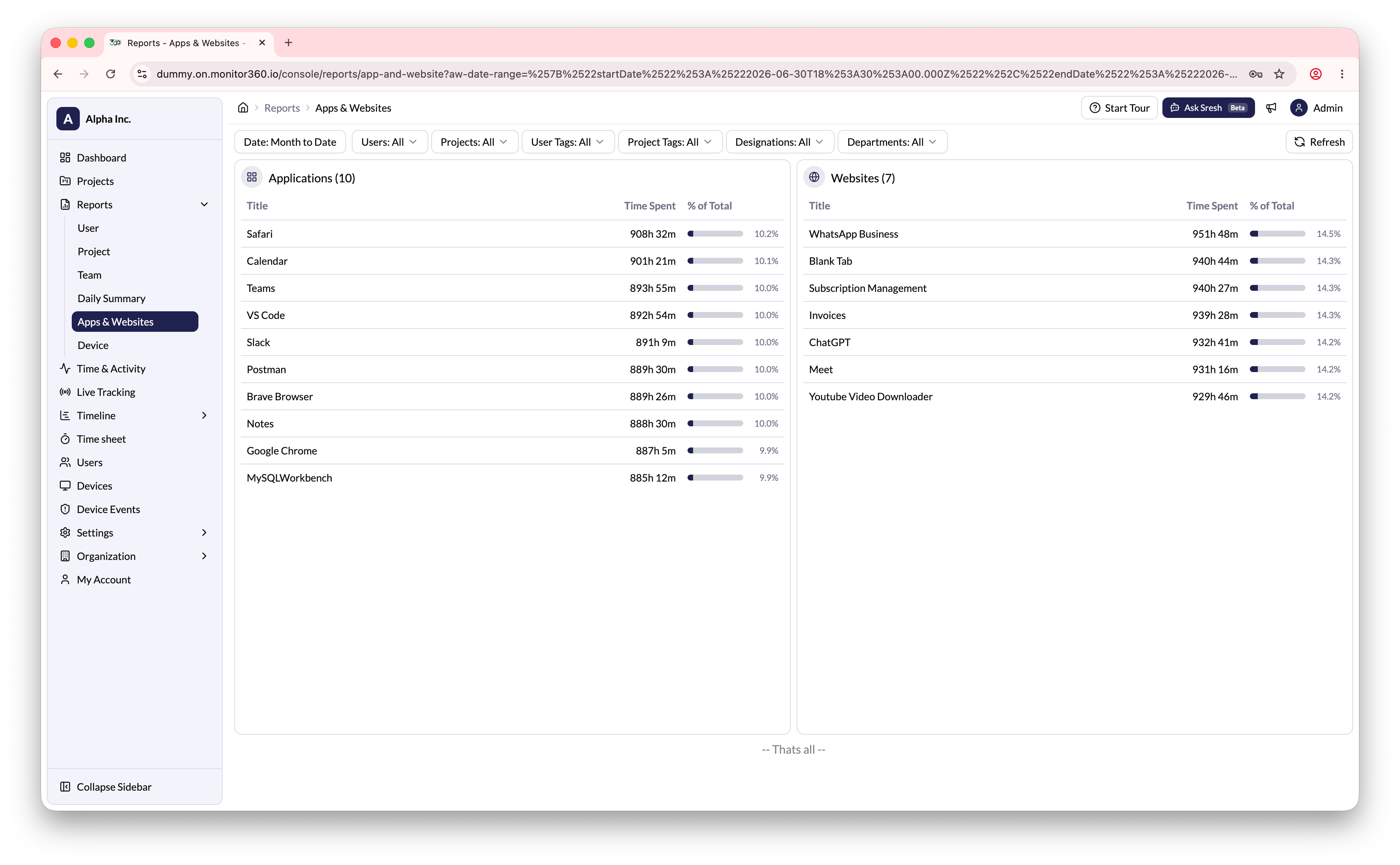
The **Apps & Websites Report** allows the admin and IT team to view application and website usage for all users during a selected period.
## How to Access
Go to **Reports → Apps & Websites**.
## Filters
| Filter | Description |
| ------------ | ------------------------------ |
| Date Range | Select the period to report on |
| Users | Filter by specific users |
| Projects | Filter by project |
| User Tags | Filter by user tags |
| Project Tags | Filter by project tags |
| Designations | Filter by job designation |
| Departments | Filter by department |
## What You Can See
**Applications**
* List of applications used by users during the selected period
* Time Spent per application
* Percentage of Total time for each application
**Websites**
* List of websites visited by users
* Time Spent per website
* Percentage of Total time for each website
 Use this report to understand which tools and websites your team uses most,
and to identify potential distractions or security concerns.
Use this report to understand which tools and websites your team uses most,
and to identify potential distractions or security concerns.