> ## Documentation Index
> Fetch the complete documentation index at: https://docs.monitor360.io/llms.txt
> Use this file to discover all available pages before exploring further.
# Connect with MCP Server
> Connect Claude or other AI tools to Monitor360 using the MCP Server
## Overview
The **MCP Server** allows Claude or other AI tools to connect with Monitor360 and fetch required monitoring data using prompts.
## Setup
1. Go to **Settings → API Keys** and generate a new API key. See [API Keys](/api-keys/index) for details.
2. Copy the API key and keep it safe.
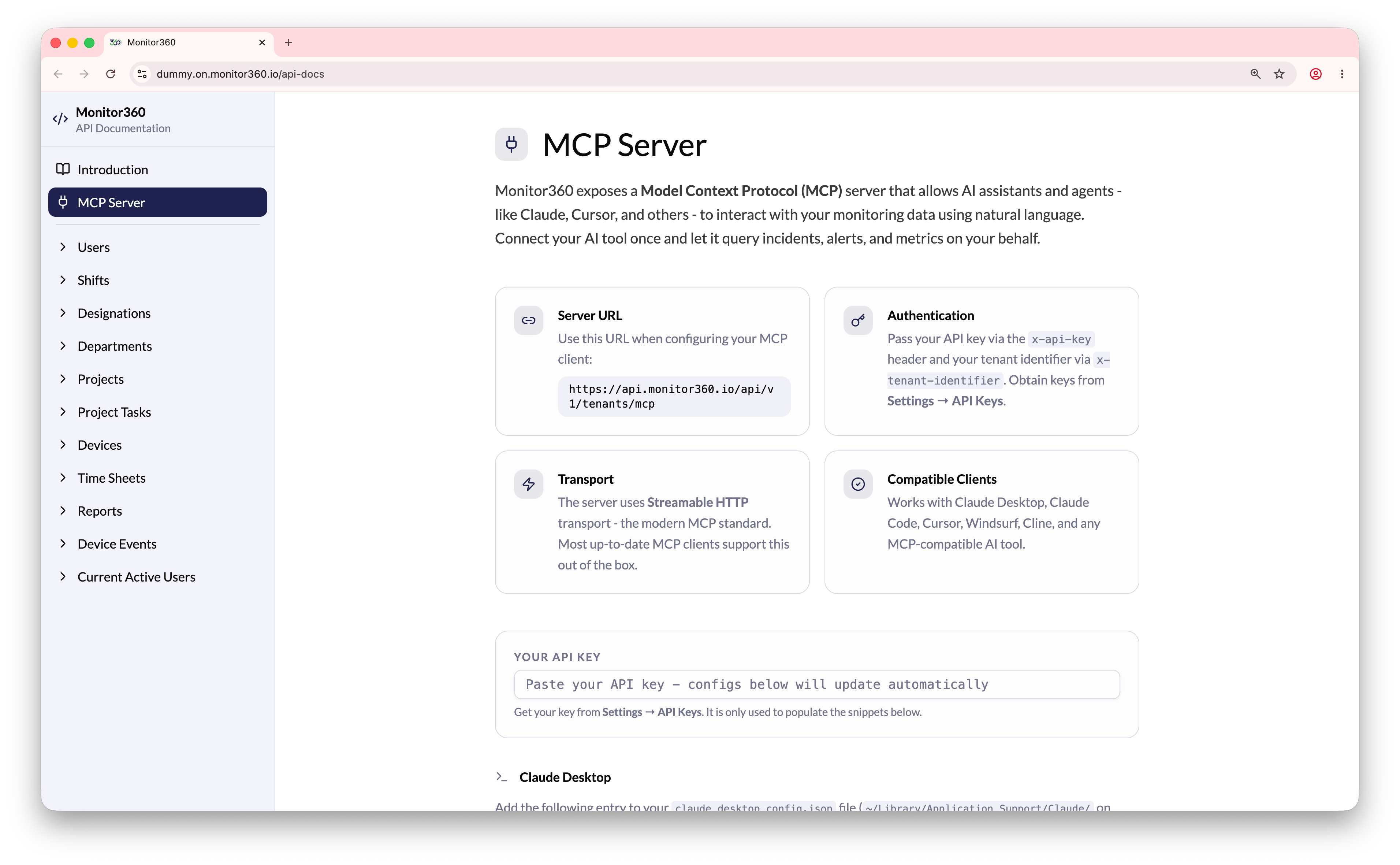
3. Go to **API Docs → MCP Server**.
4. Paste the copied API key into the **Your API Key** section.
5. Copy the generated **Server URL** with query parameters from the MCP Server section.
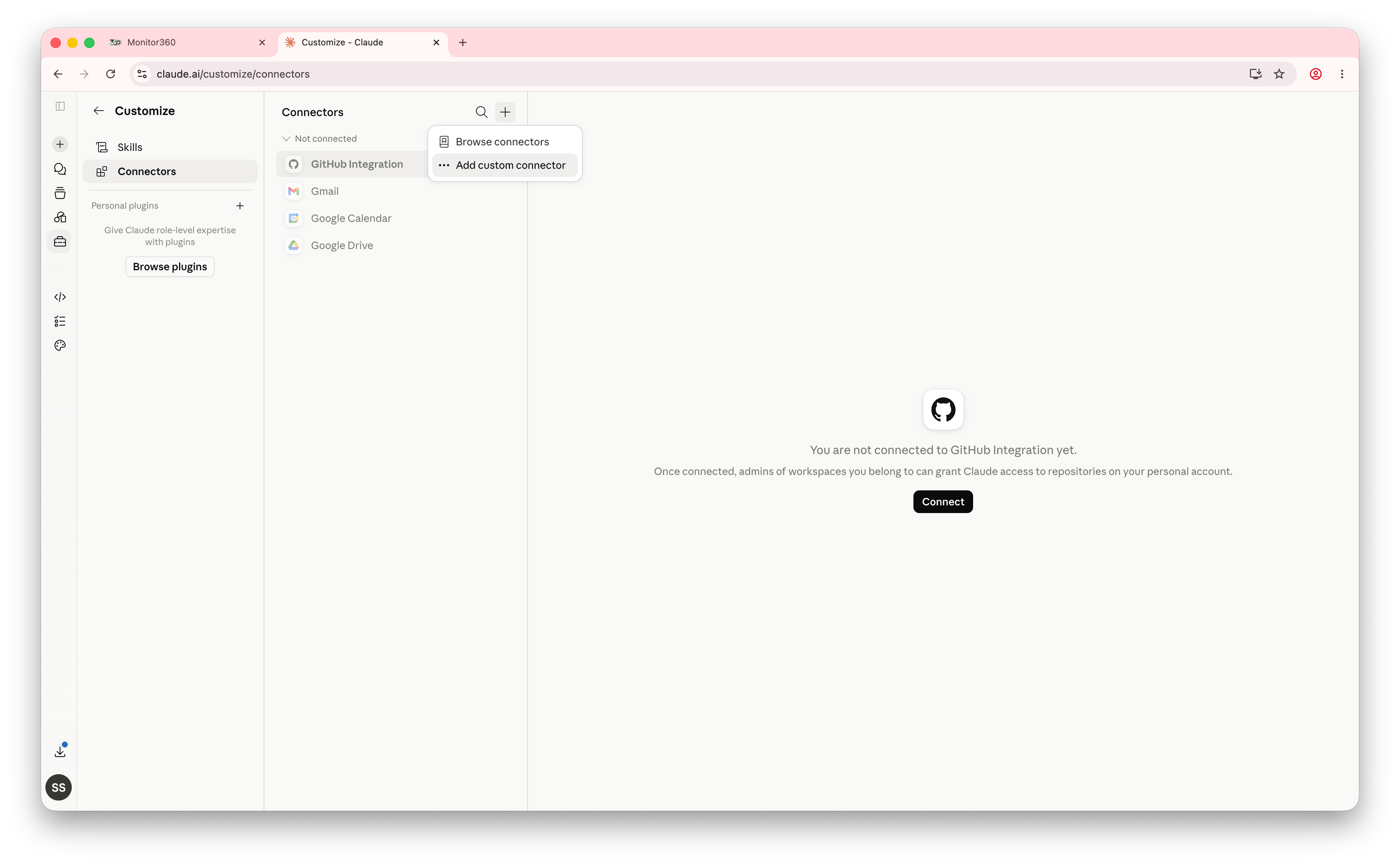
6. Open **Claude** and go to **Customise → Connectors** from the left-side menu.
7. Click the **+** icon and select **Add Custom Connector**.
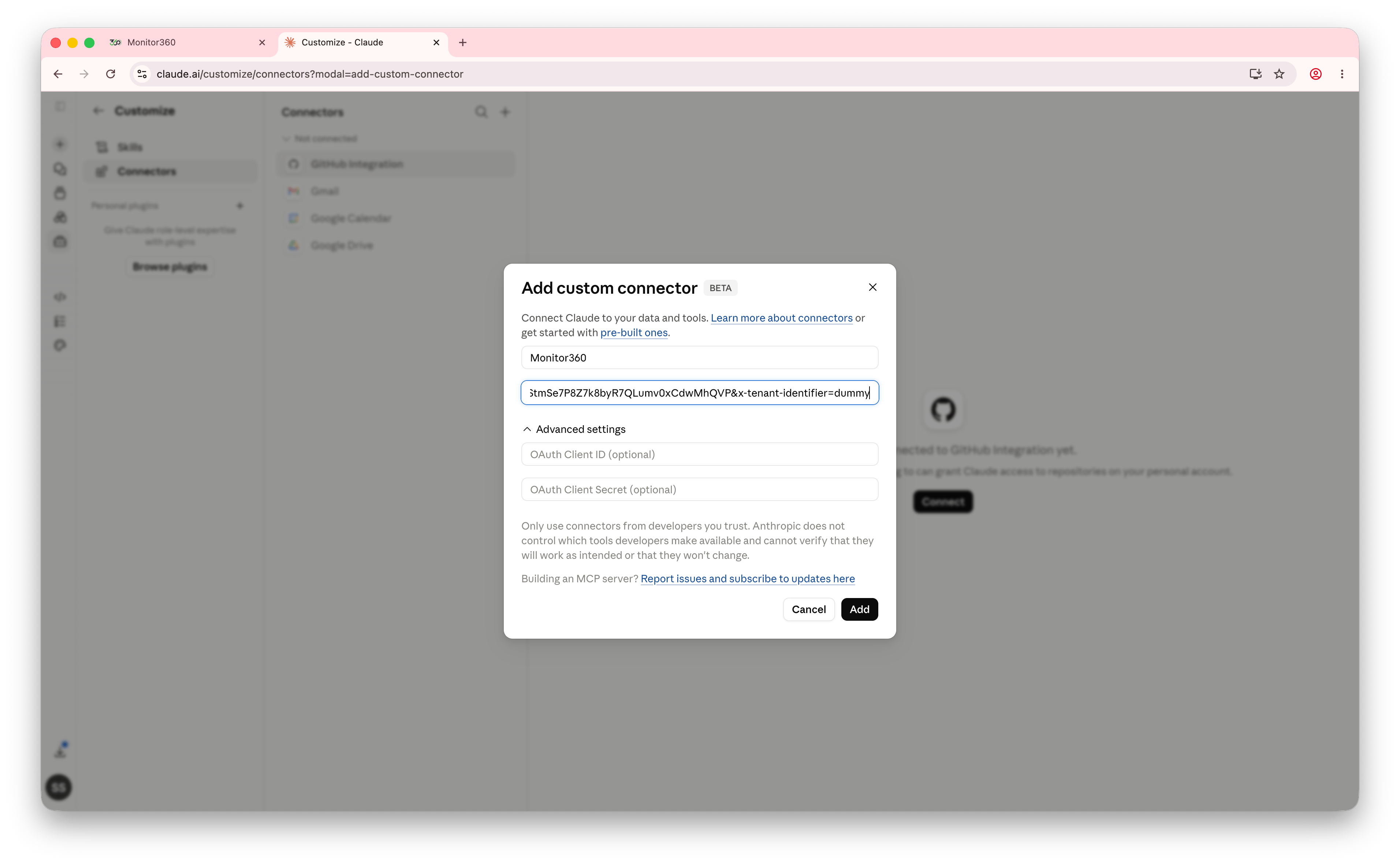
8. Enter a connector name, such as the project name.
9. Paste the copied server URL into the **Remote MCP Server URL** field.
10. Set the tool permission as required - **Allow Always**, **Needs Approval**, **Blocked**, or **Custom**.
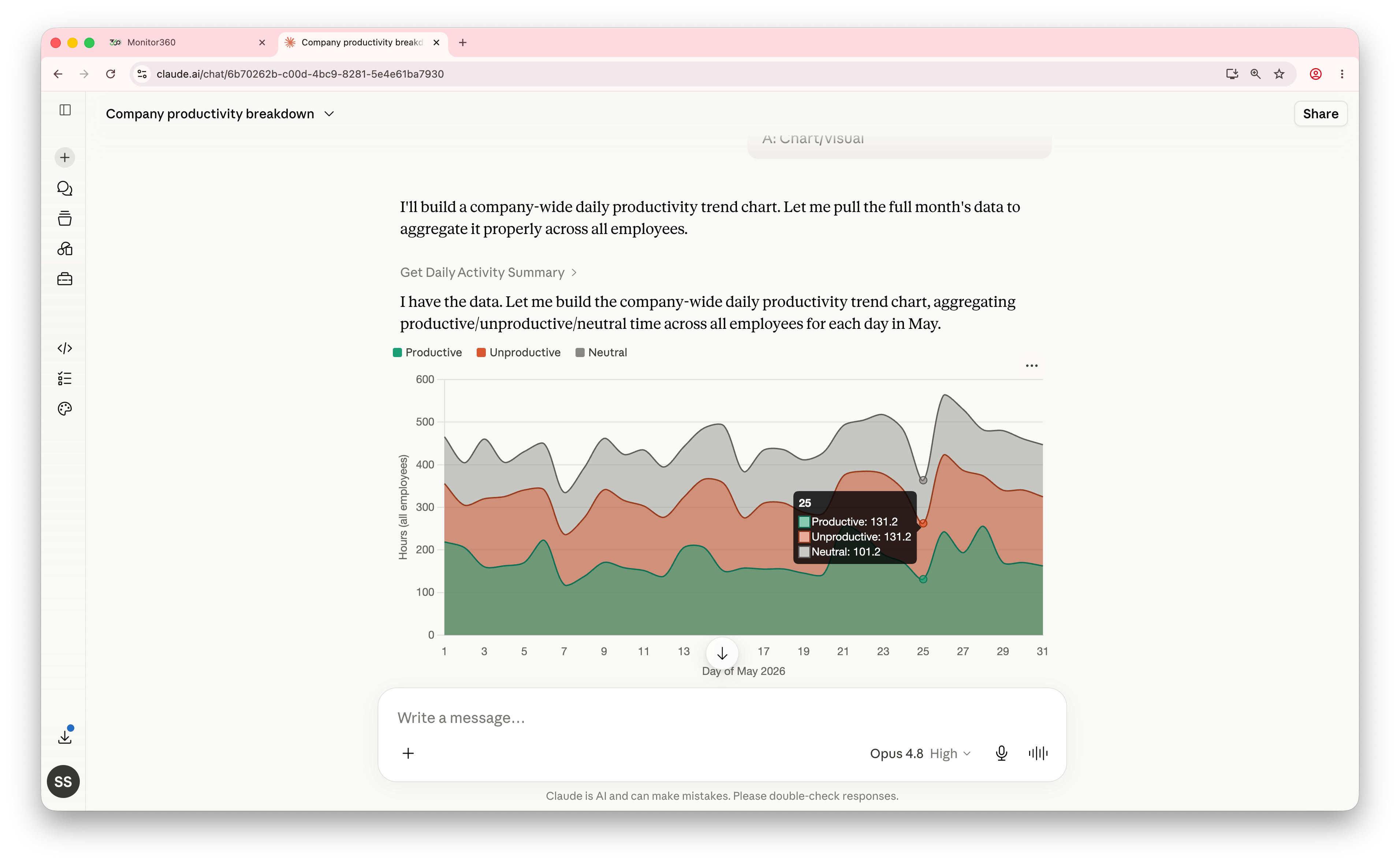
11. After saving the connector, start a new chat in Claude.
12. Enter a prompt related to Monitor360 data, and Claude will use the MCP connection to fetch and display the required details.